Review · MagSafe and Magnetic Accessories · 65958
Best MagSafe power bank? UGREEN MagFlow Qi2 25W review
Most magnetic power banks ask you to choose between a clean snap and real charging speed. The UGREEN MagFlow is a Qi2 25W MagSafe power bank that closes that gap for iPhone 16 and iPhone 17 users, while the built-in 30W cable and 10,000mAh capacity try to make it the only bank in your bag.

Scored against independent measured testing
SmartGadgetKit is reader-supported. We may earn a commission if you buy through links on this page, at no extra cost to you. We only recommend gear we would carry ourselves.
Expert Score
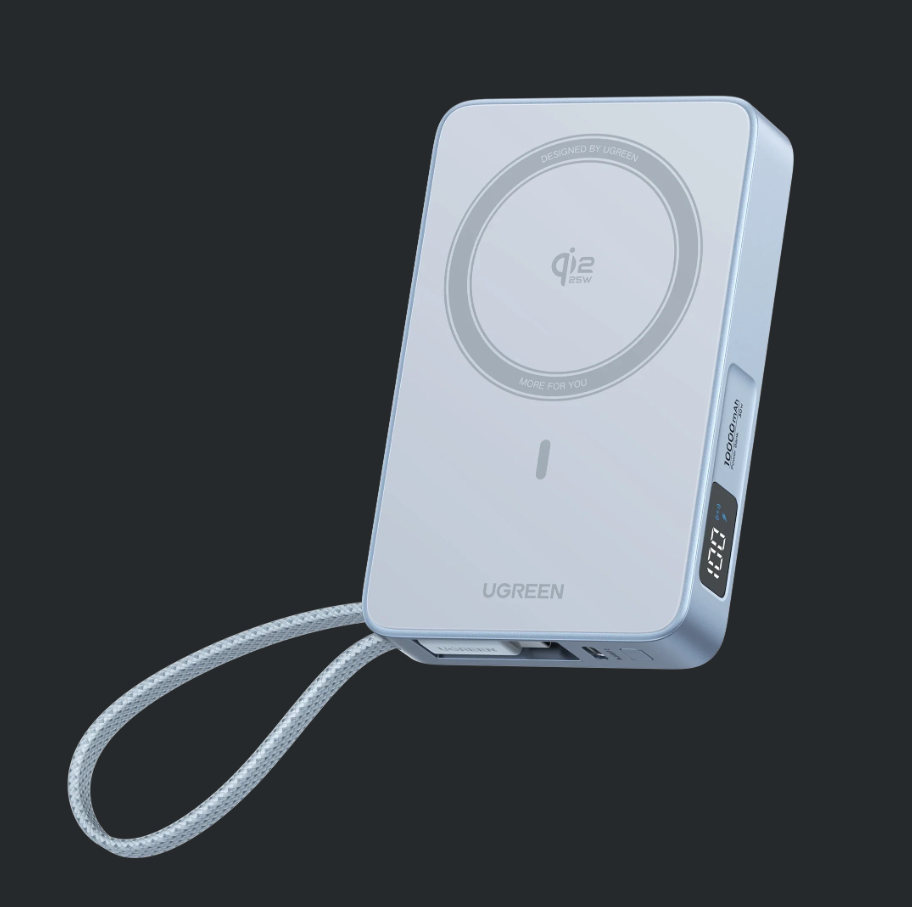
The UGREEN MagFlow scores 8.5 because it is the first magnetic power bank to make wireless charging feel genuinely fast, as long as you own an iPhone 16 or iPhone 17. Strong magnets, a built-in cable and a digital display round out a well-made pack, and the independent reviews stay consistently positive.
It concedes on weight, since 254g is the honest cost of the bigger magnet array and battery. On an older iPhone, a cheaper 15W bank charges at the same rate.
Pros
- Qi2 25W magnetic wireless is the fastest MagSafe power bank class, close to wired speed on iPhone 16 and iPhone 17
- 17 N52 magnets give a strong 9N hold that does not creep in a pocket
- Built-in 30W USB-C cable plus a separate 30W port covers three devices at once
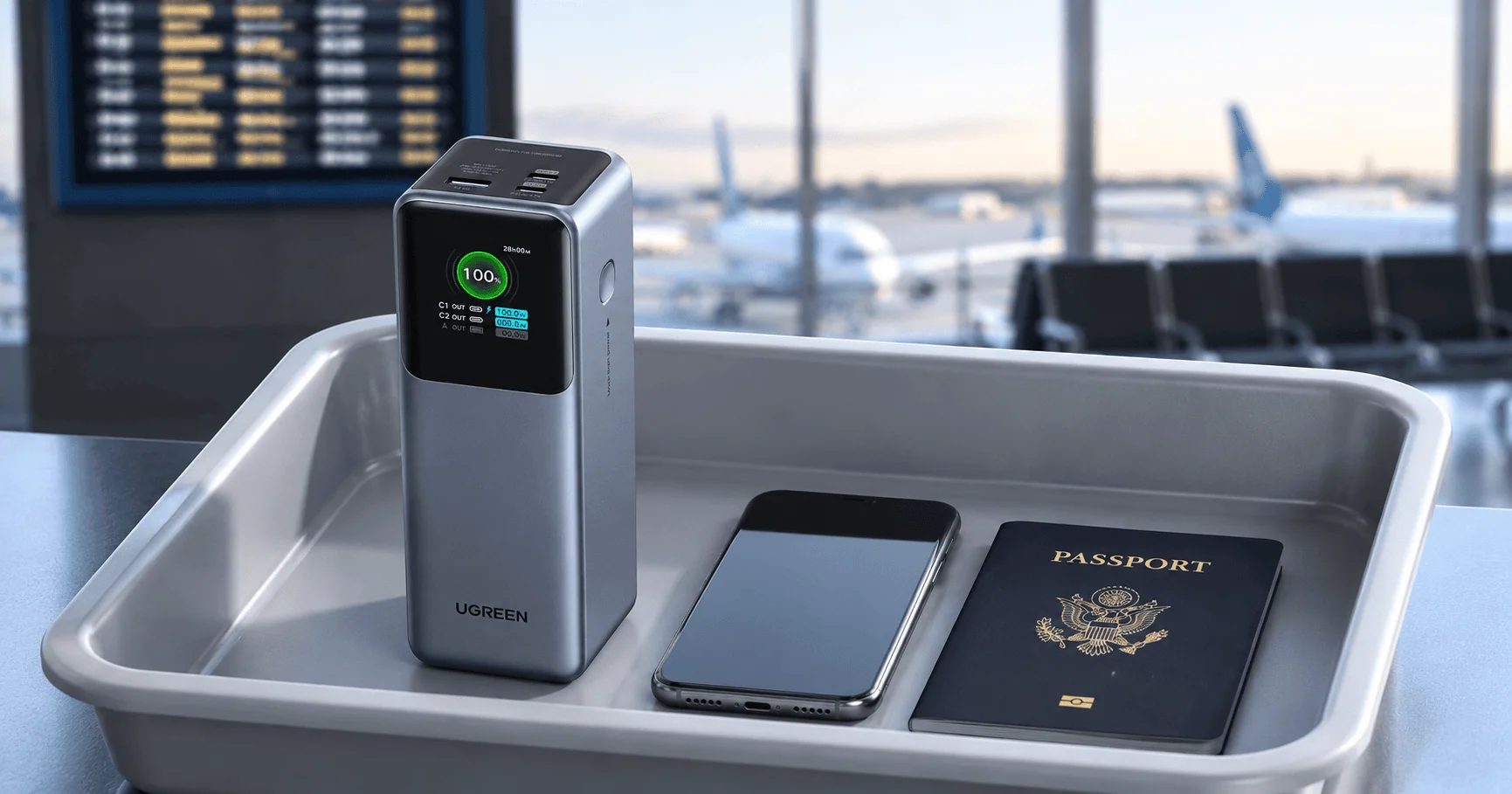
- 36Wh keeps it under the 100Wh airline limit for carry-on travel
Cons
- At 254g it is heavier than a slim 15W bank, and you feel it when phone-mounted
- The full 25W only works on iPhone 16 and iPhone 17
- iPhone 12 to 15 are capped at 15W, the same as cheaper magnetic banks
Key takeaways
Six numbers that decide whether the UGREEN MagFlow 25W is your MagSafe power bank
Quick specs
The paper numbers for the UGREEN MagFlow Qi2 25W 10,000mAh magnetic power bank
| Capacity | 10,000mAh / 36Wh |
| Wireless output | Qi2 25W magnetic (15W on iPhone 12 to 15) |
| Wired output | 30W USB-C (built-in cable and separate port) |
| Ports | Built-in USB-C cable + 1 USB-C port |
| Magnets | 17 N52 array, 9N hold |
| Display | Digital battery percentage |
| Thickness | 21mm |
| Weight | 254g |
| Certification | Qi2 25W certified, short-circuit protection |
| Warranty | 2 years (UGREEN UK) |
This UGREEN MagFlow review draws its spec figures from the UGREEN MagFlow product page; performance figures come from independent testing by Cult of Mac and Macworld. See how we test and score.
First impressions in this UGREEN MagFlow review
Out of the box the MagFlow reads as a premium bank rather than a budget magnetic puck. The shell is matte, the built-in cable tucks flat along one edge, and the digital display wakes the moment you press the side button.
The first thing most owners notice is the magnet. The 17 N52 array grabs an iPhone with a firm click and holds it through a pocket or a bag without creeping, which is the single most common complaint about weaker magnetic banks.
At 21mm thick it is noticeably chunkier than a slim 5,000mAh magnetic bank, but it still passes as a phone-mounted pack. The weight is what you feel when phone and bank ride together in one hand.
Design and build
The hardware that earns the MagFlow its premium feel
The pack holds 10,000mAh (36Wh) in a 21mm-thick body that weighs 254g. That weight is the honest trade-off here: the MagFlow is noticeably heavier than a slim 15W bank, and you feel it when phone and bank ride together in one hand. In return you get a built-in nylon-braided USB-C cable and a separate USB-C port, both rated for 30W wired charging, plus a digital display that shows the remaining percentage rather than four guesswork LEDs.
UGREEN sells it as Qi2 25W certified. Some retailers label the same unit Qi2.2, but both names point to the same 25W magnetic standard, so the labelling is not worth losing sleep over.
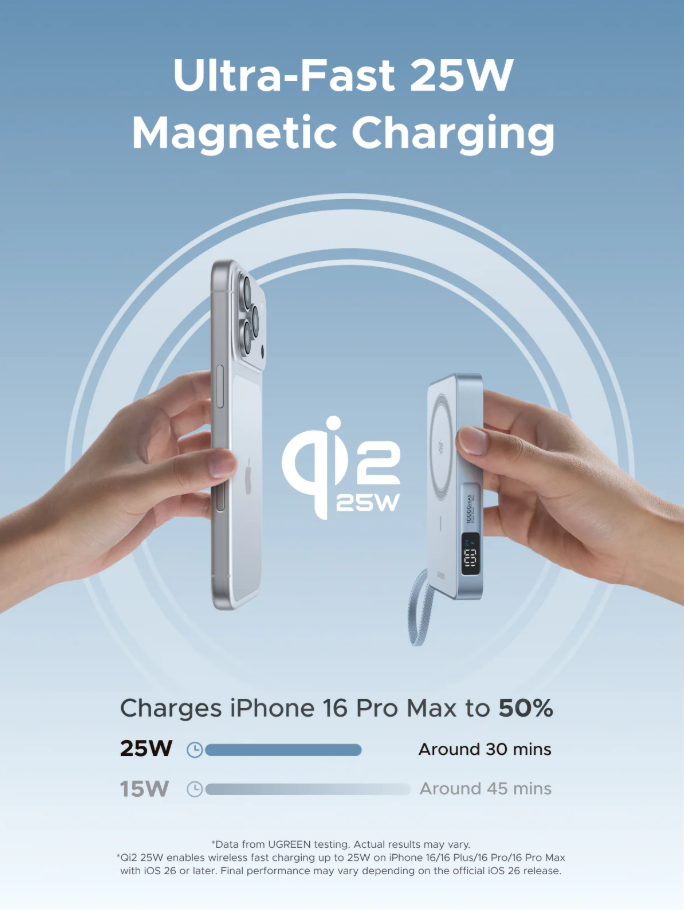
The 17-magnet array holds the MagFlow firmly to an iPhone.
 Darleene asks
“My phone came with a cable. Why would I pay more for a magnetic bank that still needs the right phone?”
Alisdair’s answer: You would not, unless the magnetic snap genuinely changes how you charge. A cable is faster and cheaper for almost everyone.
The MagFlow matters if you are the person who charges on the move: on a train, walking between wards, or carrying a coffee and a bag. The bank snaps to the back of the phone and stays there, so you do not juggle a cable and a device at the same time.
The catch is that the full 25W speed only works on iPhone 16 and iPhone 17. On an older iPhone the magnetic pad charges at 15W, the same as a cheaper magnetic bank. So the premium only pays off if your phone can use the extra speed.
Independent testing
What the UGREEN MagFlow delivers under test
Three independent reviewers put the MagFlow through its paces. Each result below is theirs, named in full and never linked.
Measured an iPhone 16 going from nearly empty to 50% in about 30 minutes on the wireless pad, with an iPhone 15 taking closer to 45 minutes. That shows the gap between a 25W-capable phone and an older 15W one.
Named it an Editor’s Choice and called it a leader among magnetic banks, with the Qi2 25W speed and strong magnet hold cited as the reasons.
Reached similar conclusions on speed and hold, backing the claim that the MagFlow sits at the front of the magnetic pack rather than being a single outlier.
The headline is 25W magnetic wireless output. Older MagSafe-style banks cap at 15W, so the MagFlow is one of the first you can buy that reaches the higher Qi2 ceiling. The real catch is that the full 25W only lands on the iPhone 16 and iPhone 17 series running the latest iOS. An iPhone 12 through 15 still draws 15W from this bank, the same as a cheaper one.
The independent numbers back the speed claim. Cult of Mac measured an iPhone 16 going from nearly empty to 50% in about 30 minutes on the wireless pad, with an iPhone 15 taking closer to 45 minutes, which shows the gap between a 25W-capable phone and an older 15W one. UGREEN’s own figures put an iPhone 17 Pro Max at 50% in roughly 38 minutes.
Macworld named it an Editor’s Choice and called it a leader among magnetic banks, with Trusted Reviews and AVForums reaching similar conclusions. That is consistent praise from three independent reviews, not one outlier.
We have not seen a controlled thermal or efficiency number for the MagFlow specifically, so we are not quoting one. Magnetic wireless charging always loses more energy as heat than a cable, which is the physical reason the built-in 30W cable matters on days when you need the fastest possible top-up.
Darleene’s version: If your phone is an iPhone 16 or 17, this charges wirelessly almost as fast as plugging it in. If it is older, it charges at the same speed as a cheaper magnetic bank.
If the fastest magnetic wireless charging in a 10,000mAh pack is the job you are buying for, the evidence above is the whole argument.
ugreenCheck latest price amazonCheck latest pricePass-through charging
The MagFlow supports pass-through charging, meaning it can power your phone while the bank itself is plugged in and recharging. UGREEN lists up to 30W wired USB-C input, handy for an overnight setup where one wall outlet tops up both the bank and your phone.
We have not seen an independent wattmeter test of that input speed, so treat the 30W figure as manufacturer-rated. The practical use is bedside or hotel-room charging from a single socket, not a measured speed claim.
Portability and travel use
At 36Wh the MagFlow sits far below the 100Wh cabin limit, so it travels in carry-on without airline approval. The 10,000mAh capacity covers close to two full phone charges, which is the sensible middle ground for a travel day: enough to get through a long flight and a transfer, without the bulk of a 20,000mAh brick.
The built-in cable earns its place here, because it means one fewer loose lead in the bag. For a phone and a pair of earbuds, the MagFlow can handle both at once, wired or wireless.
Airline carry-on
At 36Wh the UGREEN MagFlow is well under the 100Wh carry-on limit, so it flies in your cabin bag across the UK, EU and US with no airline approval needed. Keep it in the cabin, never in checked luggage.
Rules shift and some airlines add their own quantity or in-flight use limits, so check before you fly. Our power banks on planes guide keeps the current rules in one place.
Check any capacity in seconds with our mAh to Wh calculator.
Specifications
Every figure, with its source attached
Manufacturer figures are specifications or claims. Measured figures belong to the independent outlet named beside them. Nothing on this page was measured by SmartGadgetKit.
| Specification | Figure | Source |
|---|---|---|
| Model | UGREEN MagFlow 10,000mAh Qi2 25W magnetic power bank | UGREEN |
| SKU | 65958 | UGREEN |
| Capacity | 10,000mAh / 36Wh | UGREEN |
| Wireless output | Qi2 25W magnetic (15W on iPhone 12 to 15) | UGREEN |
| Wired USB-C (built-in cable) | 30W | UGREEN |
| Wired USB-C (port) | 30W in and out | UGREEN |
| Simultaneous charging | Up to 3 devices (2 wired + 1 wireless) | UGREEN |
| Magnets | 17 N52 array, 9N hold | UGREEN |
| Display | Digital battery percentage | UGREEN |
| Thickness | 21mm | UGREEN |
| Weight | 254g | UGREEN |
| Protection | Short-circuit protection, per UGREEN | UGREEN |
| Certification | Qi2 25W certified | UGREEN |
| In the box | MagFlow power bank, user manual | UGREEN |
| Warranty | 2 years (UGREEN UK) | UGREEN |
Confirm the exact CE, FCC and UN 38.3 transport markings on the unit and packaging when yours arrives.
If the numbers already make the case for you, the current UGREEN and Amazon listings are one tap away.
ugreenCheck latest price amazonCheck latest priceScoring
Why we scored it 8.5 out of 10
Four category scores, fixed by editorial judgement. The overall is not their average.
That lands at 8.5: a leading Qi2 25W MagSafe power bank with one honest trade-off.
The verdict
The MagFlow earns its score because Qi2 25W finally makes magnetic charging feel close to wired for recent iPhones, and the built-in USB-C cable plus battery display make it more practical than older MagSafe banks.
Weight and the 25W ceiling stop it being a universal pick. At 254g it is a bag or coat-pocket bank, not a jeans-pocket one, and the full speed only arrives on iPhone 16 and iPhone 17.
For the right phone, it is the magnetic bank that turns wireless charging into your main method rather than an overnight afterthought.
For iPhone 16 or iPhone 17 owners, the magnetic bank that finally matches wired speed is one tap away.
ugreenCheck latest price amazonCheck latest priceShould you buy it?
The honest split
Buy it if
- You own an iPhone 16 or iPhone 17 and want wireless charging near wired speed
- You want a strong magnet hold and a built-in cable in one MagSafe power bank
- You fly regularly and need a 10,000mAh bank that clears carry-on limits without paperwork
Skip it if
- You carry an iPhone 12 to 15, where it drops to 15W anyway
- You want the lightest possible magnetic bank and do not need 25W
- You mostly charge at a desk and a cheaper wired bank does the same job
Buy it if you want the fastest magnetic wireless charging in a 10,000mAh pack; skip it if your phone or your pocket cannot use the speed.
ugreenCheck latest price amazonCheck latest priceHow it compares
UGREEN MagFlow vs the two rivals readers weigh against it
| UGREEN MagFlow Our pick | UGREEN Ultra-Slim 10K | Anker MagGo 10K | |
|---|---|---|---|
| Wireless output | Qi2 25W | Qi2 15W | Qi2 15W |
| Capacity | 10,000mAh / 36Wh | 10,000mAh | 10,000mAh |
| Built-in cable | Yes, USB-C 30W | Yes, USB-C | No |
| Extra feature | Digital display | Slim profile | Foldable kickstand |
| Airline status | 36Wh, carry-on | Carry-on | Carry-on |
| Best for | iPhone 16 and 17, top speed | iPhone 12 to 15, same capacity for less | Trusted brand with a stand |
The Ultra-Slim trades the 25W ceiling for a slimmer body and lower cost, while the Anker MagGo gives up the built-in cable for a foldable kickstand. The MagFlow wins on raw magnetic speed and all-in-one hardware.
UGREEN MagFlow vs Anker MagGo: which is better?
Buy the MagFlow if you have an iPhone 16 or iPhone 17 and want the fastest magnetic wireless charging in a 10,000mAh pack. The Anker MagGo is the safer choice if you value a well-known brand and a built-in stand for watching while charging, and its 15W ceiling is fine for older iPhones. For the full head-to-head with both verdicts scored side by side, read our Anker MagGo vs UGREEN MagFlow comparison.
If this one is not the fit
Four alternatives, four different readers
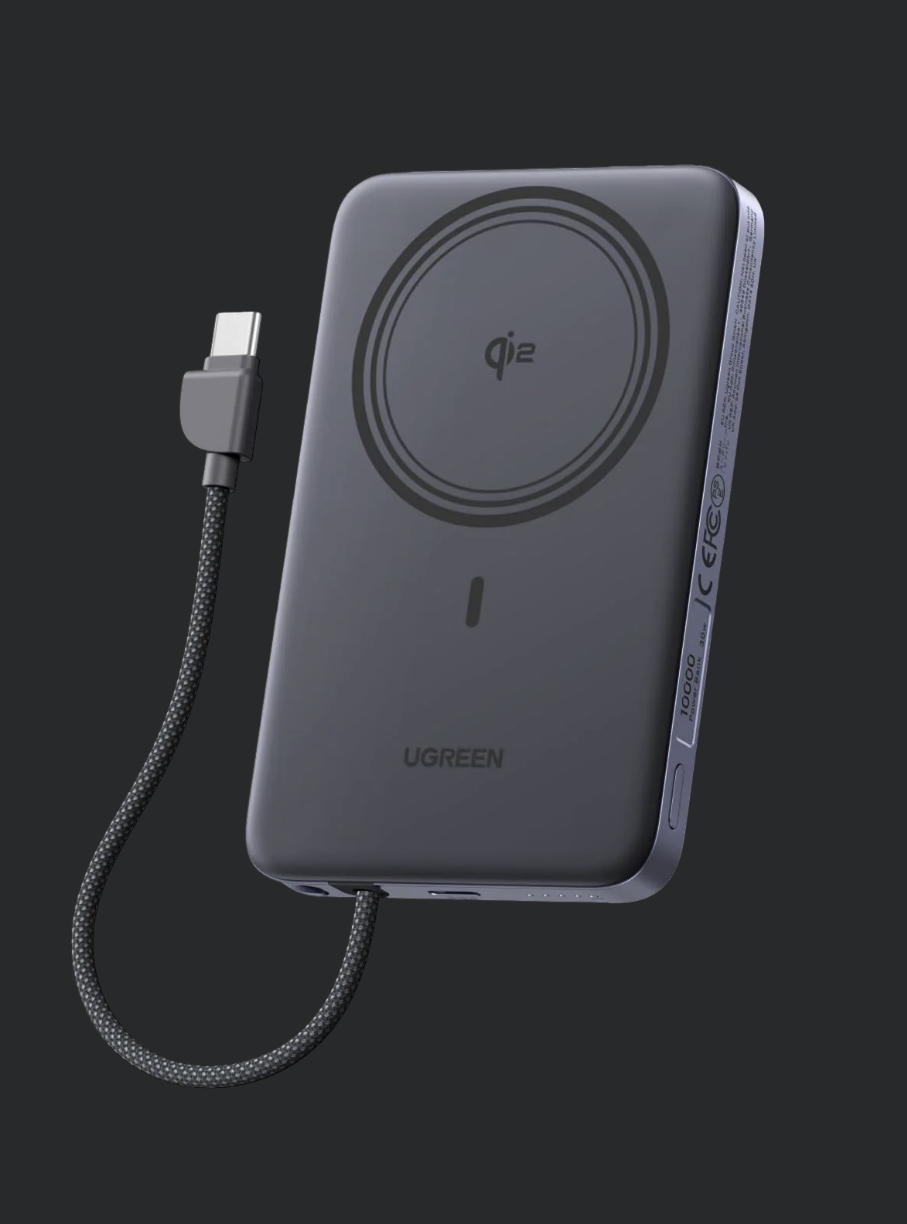
UGREEN Ultra-Slim 10,000mAh
The same capacity and a built-in cable for less money, but capped at 15W. The honest pick if your phone is an iPhone 12 to 15.
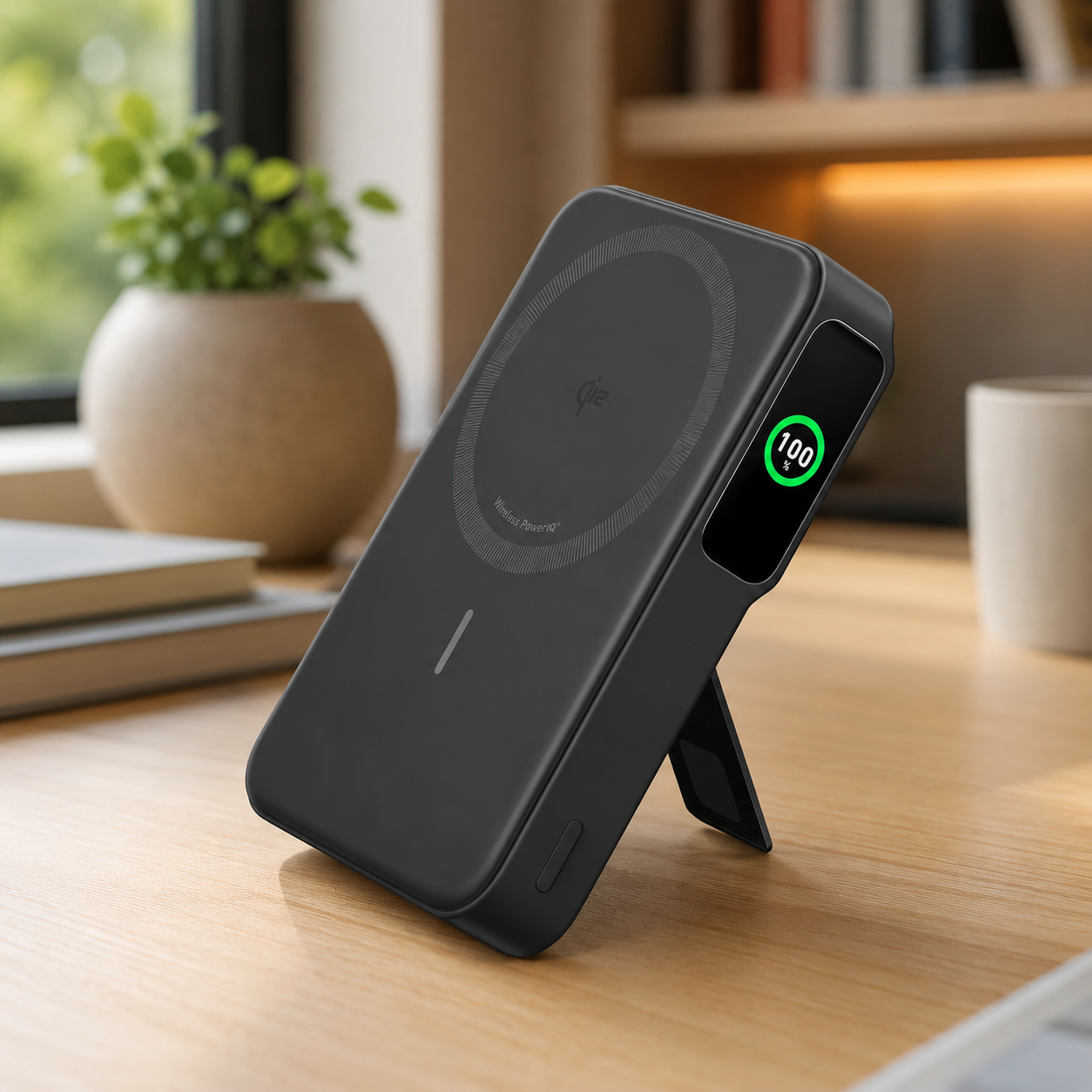
Anker MagGo 10,000mAh
A 15W Qi2 magnetic bank with a foldable kickstand and clear display. The safe pick for anyone who values Anker’s track record and wants to prop the phone up while it charges.

UGREEN MagFlow Air 5,000mAh
Half the capacity and no built-in cable, but far lighter for a day when you only need one top-up. Best if you want the magnetic snap without the bulk.
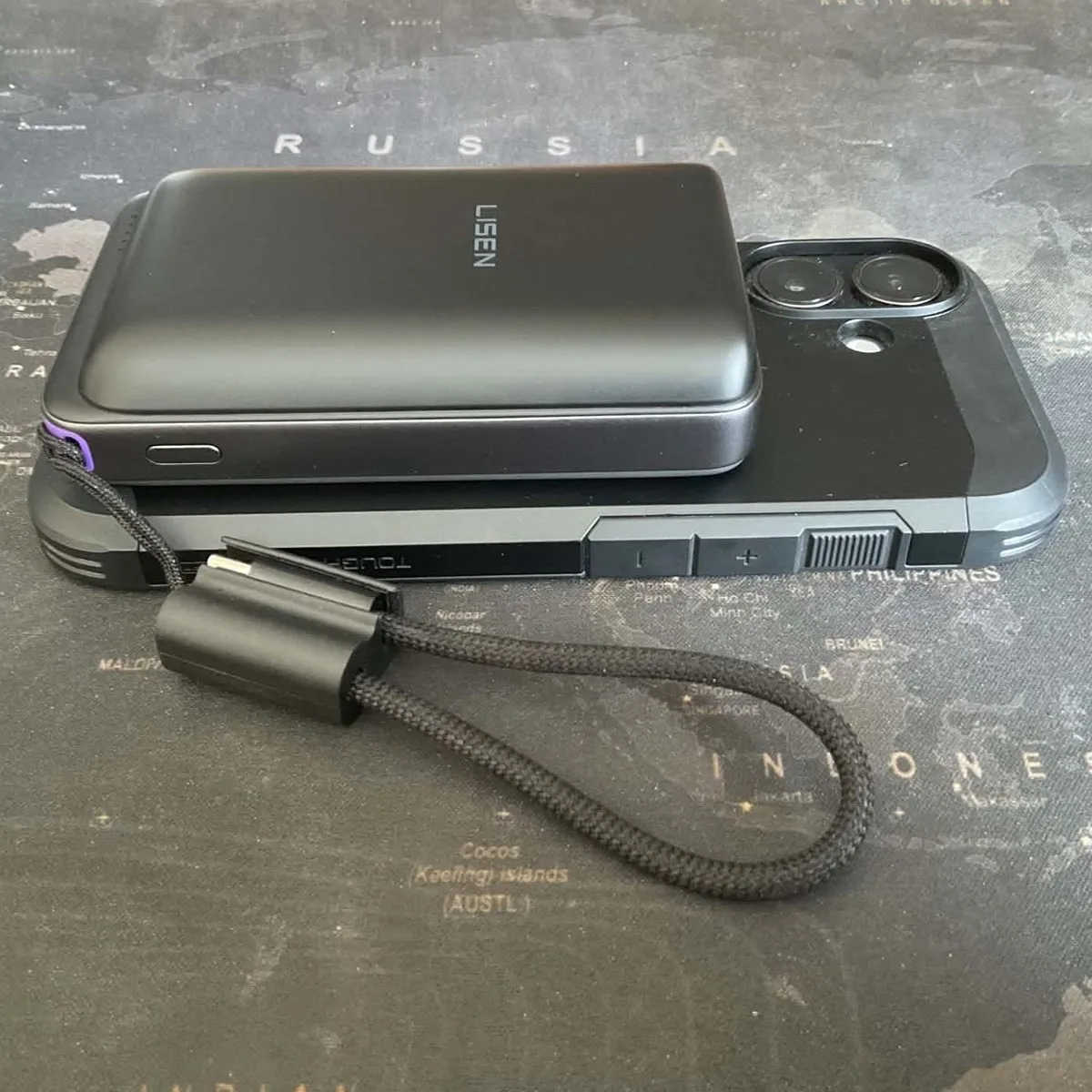
LISEN P604 10,000mAh
Same Qi2.2 25W wireless as the MagFlow, but a 65W USB-C port for faster wired charging. We measured 35.75W peak on our own WITRN meter. Lighter at 232g, though it lacks the built-in cable.
FAQ
Questions readers ask
Is the UGREEN MagFlow a MagSafe power bank?
Yes. It is a Qi2 25W magnetic power bank that snaps to MagSafe-compatible iPhones using the same magnetic ring. It is not Apple’s own MagSafe product, but it works with the MagSafe system on iPhone 12 and later. The full 25W speed needs an iPhone 16 or iPhone 17.
What is Qi2 charging?
Qi2 is the wireless charging standard from the Wireless Power Consortium that adds magnetic alignment to the original Qi standard. Qi2 25W is the faster version, raising the power limit from 15W to 25W. The magnetic ring keeps the coils lined up, which is what stops the bank sliding out of position in a bag.
Can the UGREEN MagFlow charge iPhone 16 and iPhone 17 at 25W?
Yes, on iPhone 16 and iPhone 17 running the latest iOS, the MagFlow delivers its full Qi2 25W wireless speed. Cult of Mac measured an iPhone 16 from nearly empty to 50% in about 30 minutes. iPhone 12 through 15 are limited to 15W, the same as older magnetic banks.
How many times can the UGREEN MagFlow charge an iPhone?
The 10,000mAh capacity covers close to two full charges of a current iPhone, depending on the model and whether you charge wired or wirelessly. Wireless charging loses more energy as heat, so expect slightly fewer refills on the magnetic pad than on the 30W cable.
Is the UGREEN MagFlow allowed on planes?
Yes. At 36Wh it is well under the 100Wh threshold that UK, EU and US carriers apply to spare lithium batteries in hand luggage. It must travel in the cabin, never in checked baggage. Individual airlines add their own rules, so check your carrier before you fly.
Does the UGREEN MagFlow have a built-in cable?
Yes. It carries a built-in nylon-braided USB-C cable plus a separate USB-C port, both rated at 30W. You can charge wired and wireless at the same time, covering up to three devices at once.
How strong are the magnets on the UGREEN MagFlow?
The MagFlow uses a 17 N52 magnet array rated at a 9N hold. Independent reviewers found it strong enough to keep the bank attached through normal pocket and bag movement.
Is the UGREEN MagFlow good for Android phones?
Android phones can use the MagFlow over the wired USB-C ports at up to 30W. The magnetic wireless pad needs a MagSafe-compatible phone or case to attach, so most Android users will rely on the cable. Over cable it behaves like a normal 30W portable charger for any USB-C device.
What is the difference between Qi2 and Qi2.2 on the MagFlow?
Nothing that matters to the buyer. UGREEN labels the MagFlow Qi2 25W certified, and some retailers call it Qi2.2. Both names refer to the same 25W magnetic charging standard.
UGREEN MagFlow vs Anker MagGo: which is better?
Choose the MagFlow for iPhone 16 or iPhone 17 if you want the fastest magnetic wireless charging and a built-in cable. Choose the Anker MagGo if you prefer a trusted brand, a built-in kickstand, and only need 15W for an older iPhone.
Is a MagSafe battery pack the same as a MagSafe power bank?
Yes. Apple’s own battery pack was the original, and Qi2 banks like the MagFlow are the modern version of it. Same magnetic snap onto the back of the iPhone, but the MagFlow adds a 10,000mAh cell, a built-in 30W USB-C cable and 25W wireless top-ups on iPhone 16 and iPhone 17.
What is MagSafe?
MagSafe is Apple’s magnetic accessory system, introduced with the iPhone 12. A ring of magnets in the back of the phone snaps accessories into place and lines the charging coils up. A Qi2 power bank like the MagFlow grips that ring and charges wirelessly with no cable to plug in.
Final word
For the right iPhone, the best MagSafe power bank to shortlist
For the right phone, the UGREEN MagFlow is the upgrade that turns magnetic charging into your main method rather than an overnight afterthought. If you carry an iPhone 16 or iPhone 17 and want wireless speed close to a wired cable, it is the best MagSafe power bank to shortlist.
If you are on an iPhone 12 to 15, save the difference and pick a 15W magnetic bank. Either way, see how we test, or see where it ranks in our best MagSafe power bank roundup.
Keep reading
Best MagSafe Power Bank
Where the MagFlow ranks against the top magnetic and Qi2 power banks.
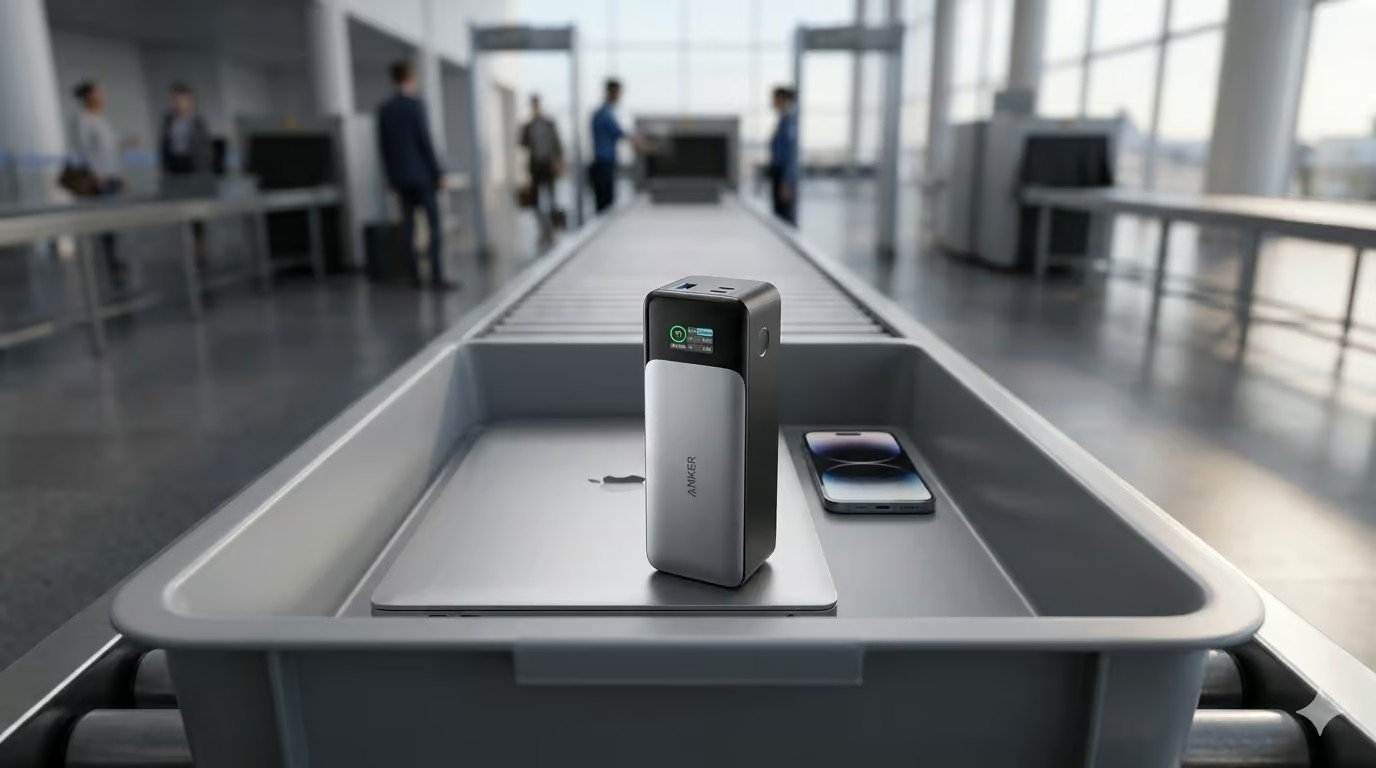
Can You Take a Power Bank on a Plane?
Every major carrier’s Wh rules in one place.
mAh to Wh Calculator
Check any power bank capacity against the 100Wh airline limit.
Anker MagGo vs UGREEN MagFlow
A direct comparison of speed, hold, hardware and value.
UGREEN 100W Power Bank Review
The 25,000mAh pack with a built-in screen and 100W from one port.
How to Choose a Power Bank
The buying guide that starts from your job rather than the spec sheet.
Tested by people who know what the numbers mean
SmartGadgetKit checks every spec against the manufacturer and independent sources, and tells you the trade-offs, not only the wins. Independent testing for this page comes from Cult of Mac, Macworld, Trusted Reviews and AVForums, credited where each figure appears.