
Affiliate disclosure: This page contains affiliate links. If you buy through them, we may earn a small commission at no extra cost to you. It doesn’t change what we recommend.
Finding the best laptop power banks 2026 is harder than the spec sheets make it look. As a network engineer who spends a lot of time on flights and in airport lounges, I have tested enough of these to know that mAh numbers tell you very little about real-world performance.
Laptop charging asks more of a power bank than phone charging does. You need higher wattage output, enough capacity to actually move the needle on a laptop battery, and ideally something that handles multi-device charging without everything slowing to a crawl.
As a network engineer who travels regularly with a full kit laptop, phone, earbuds, tablet I’ve learned that the right laptop power bank makes a real difference on a long travel day. The wrong one is just dead weight.
This guide covers the picks that earn their place. Whether you’re commuting, working remotely, or trying to survive a long-haul flight without hunting for a socket, there’s an option here that fits your situation.
Why the best laptop power banks 2026 matter
Laptops draw far more power than phones. Getting the wrong bank means slow charging, throttled output, or a dead battery mid-flight.
| Pick | Product | Best for | Max output | Capacity |
|---|---|---|---|---|
| Best overall | Anker 737 | Travel + multi-device | 140W | 24,000mAh |
| Best laptop focus | Anker A1695 | Built-in cables | 165W | 25,000mAh |
| Best mainstream | Anker 87W 20K | Everyday carry | 87W | 20,000mAh |
| Best compact | CUKTECH 15 SE | High output, smaller | ~140W | 20,000mAh |
| Best premium | Anker Prime 26K | Demanding setups | 300W | 26,250mAh |
What you actually need for laptop charging
Before getting into the picks, it’s worth being clear on what separates a laptop power bank from a phone power bank.
Wattage matters more than mAh. Your laptop’s charger probably outputs 45W, 65W, or 100W. A power bank needs to match or exceed that to charge efficiently. A 30W power bank won’t cut it for most laptops.
USB-C Power Delivery is the standard. Almost every modern laptop charges over USB-C PD. Look for PD 3.0 or PD 3.1 support. PD 3.1 handles 140W+ output for high-performance laptops. As a network engineer I’ll tell you, the handshake negotiation between your laptop and the power bank matters. A quality bank handles this cleanly.
Cable quality makes a real difference. A power bank rated at 100W with a cheap USB-C cable will silently cap at much lower speeds. Use a properly rated cable, look for e-marked or 5A-rated cables for 100W+ charging.
Airline rules apply.
Most power banks under 100Wh are typically within standard airline carry-on limits, but rules vary by airline and route.
- UK travellers can check the UK CAA guidance.
- If travelling to or from the US, check the FAA guidelines.
- Always keep power banks in carry-on luggage, never checked bags.
1. Anker 737 Power Bank (24,000mAh, 140W) Best overall
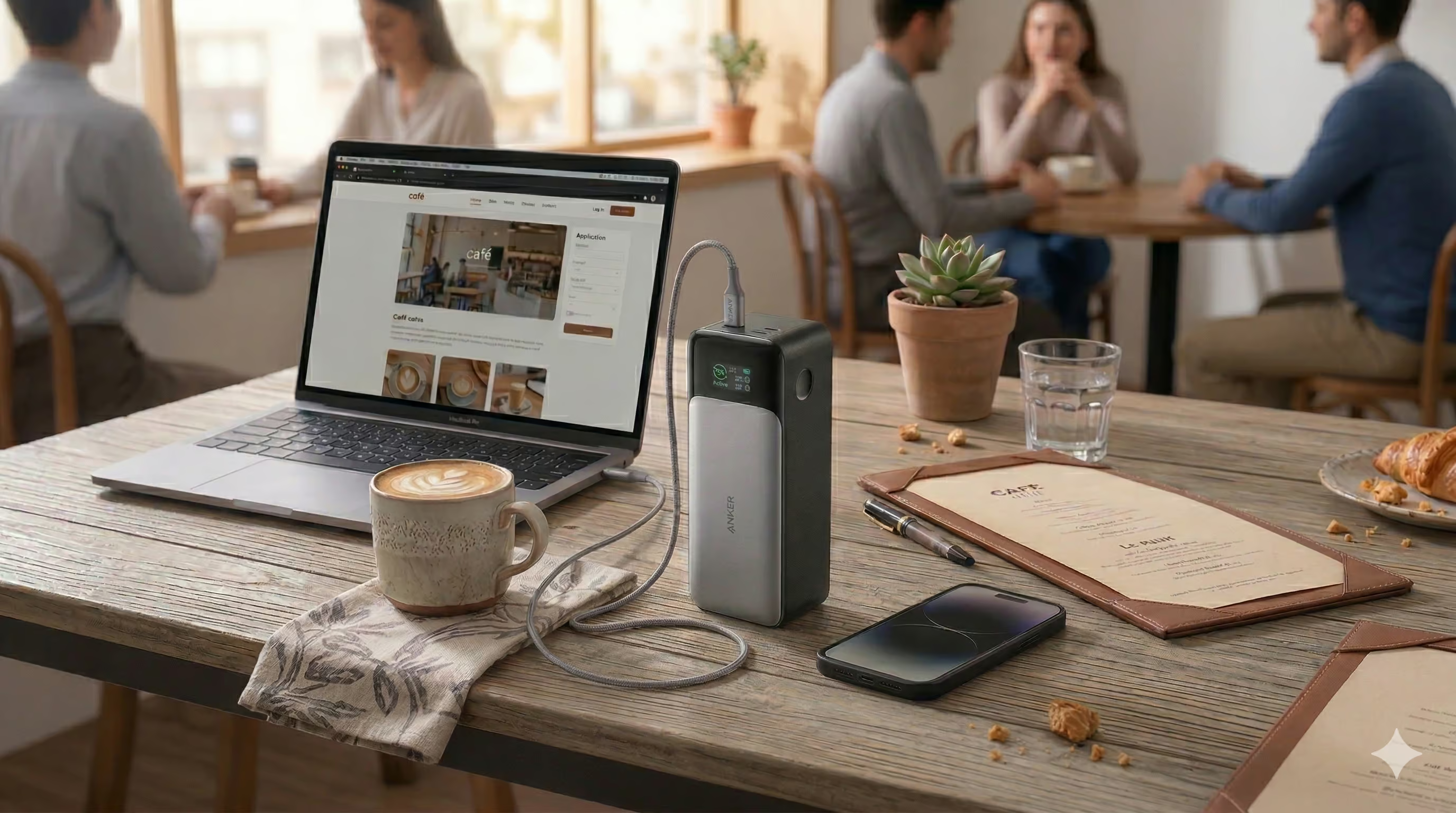
Anker 737 Power Bank Best Overall
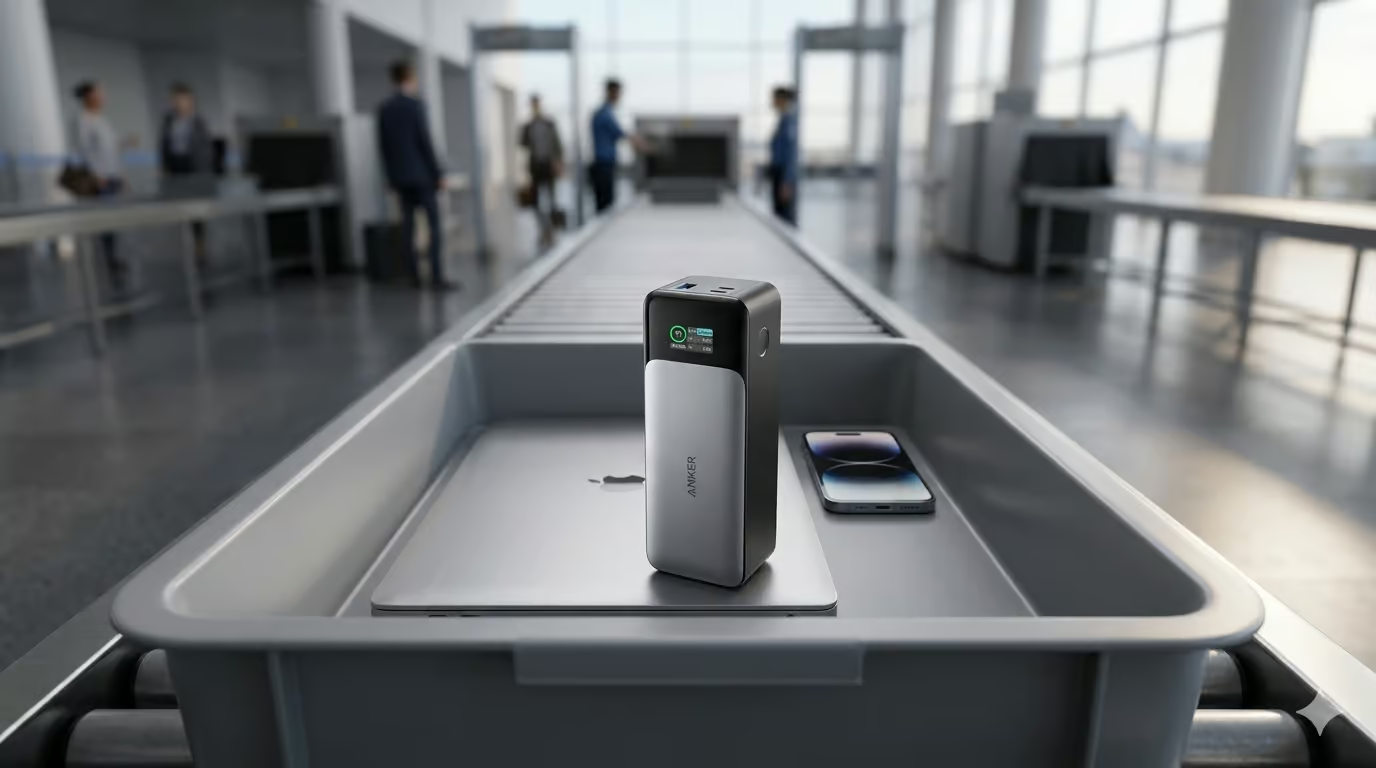
The Anker 737 is the one I travel with. It’s not the newest model but that’s part of why it makes sense in 2026. It’s proven, stable, and does exactly what most laptop travellers need.
140W USB-C PD output handles most laptops comfortably. Three ports (USB-C + USB-C + USB-A) means the laptop, phone, and earbuds can all charge in one session. The real-time digital display shows actual wattage data, not just a vague battery percentage.
On an 11-hour delay at Delhi airport, the 737 kept my phone, iPad, AirPods, and Sony headphones charged throughout. That’s the kind of situation where a high-capacity travel power bank proves its value.
It weighs around 630g backpack territory rather than pocket carry. If you mainly need to top up a phone, it’s overkill. For serious laptop travel, it’s one of the safest buys in this category.
| Spec | Detail |
|---|---|
| Capacity | 24,000mAh |
| Max output | 140W (USB-C PD 3.1) |
| Ports | 2x USB-C, 1x USB-A |
| Weight | ~630g |
| Display | Real-time wattage + battery % |
| Airline carry-on | Typically within 100Wh limits (check your airline) |
What it’s good at: Stable multi-device charging. Excellent display. Handles laptops and smaller devices together without slowing down.
The Anker 737 remains one of the best laptop power banks 2026 for Pro users.
What to watch: Heavier than compact options. Premium price. No built-in cables.
Who it’s for: Travellers carrying a laptop and multiple devices. Remote workers. Anyone who wants one reliable travel battery.
Who should skip it: Phone-only users. Anyone wanting ultra-light pocket carry.
Read our full Anker 737 review
2. Anker A1695 (25,000mAh, 165W) Best for built-in convenience
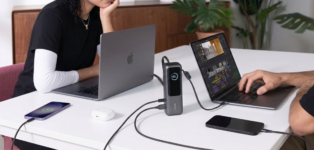
Anker A1695 Laptop Power Bank (25,000mAh, 165W) Best for Laptops
The A1695 is built around one genuinely useful idea: fewer cables to carry. Two built-in USB-C cables, three USB-C ports, one USB-A, and a live display. For travel days where you don’t want a cable pouch, that matters more than it sounds.
At 165W total output and 25,000mAh it’s the most capable option here on paper. It handles USB-C laptops comfortably. One thing to treat carefully: built-in cables are great until they wear out. Handle the retractable cable with care.
| Spec | Detail |
|---|---|
| Capacity | 25,000mAh |
| Max output | 165W total |
| Ports | 3x USB-C, 1x USB-A + 2x built-in cables |
| Weight | ~595g |
| Display | Live charging status |
| Airline carry-on | 90Wh (check your airline) |
What it’s good at: Built-in cables reduce clutter. Strong multi-device charging. Best travel convenience package in this guide.
What to watch: Heavy. Built-in cable longevity needs care. 165W is a peak figure, not a guaranteed real-world result.
Who it’s for: Frequent travellers with a laptop and multiple USB-C devices who hate cable clutter.
Who should skip it: Anyone who prefers separate replaceable cables.
Read our full Anker A1695 review →
3. Anker Power Bank 20,000mAh 87W Best mainstream pick

Anker Power Bank 20,000mAh 87W Best Mainstream Pick
Not everyone needs 140W. If your laptop charges at 65W which covers most ultrabooks and MacBook Air class machines the Anker 87W 20K hits the sweet spot between capability and everyday practicality.
The built-in USB-C cable is a genuine convenience win. 20,000mAh gives solid headroom for a laptop top-up plus phone and earbuds. At a lower price than the flagship options, it’s the most justifiable pick for travellers who aren’t running a demanding machine.
| Spec | Detail |
|---|---|
| Capacity | 20,000mAh |
| Max output | 87W |
| Ports | 1x USB-C (built-in cable), 1x USB-C port, 1x USB-A |
| Built-in cable | Yes, USB-C |
| Weight | approx 440g |
| Display | LED indicator |
| Airline carry-on | Typically within 100Wh limits, check your airline |
What it’s good at: Right-sized for most ultrabooks. Built-in cable. Easier to justify price-wise.
What to watch: Not ideal for sustained high-output laptop charging. Not the pick for 100W+ laptops.
Who it’s for: MacBook Air users, ultrabook users, travellers who want one bank for laptop and phone without going premium.
Who should skip it: High-performance laptop users needing 100W+ sustained output.
Read our full Anker 87W review →
4. CUKTECH 15 SE (PB200) Best compact high-output option
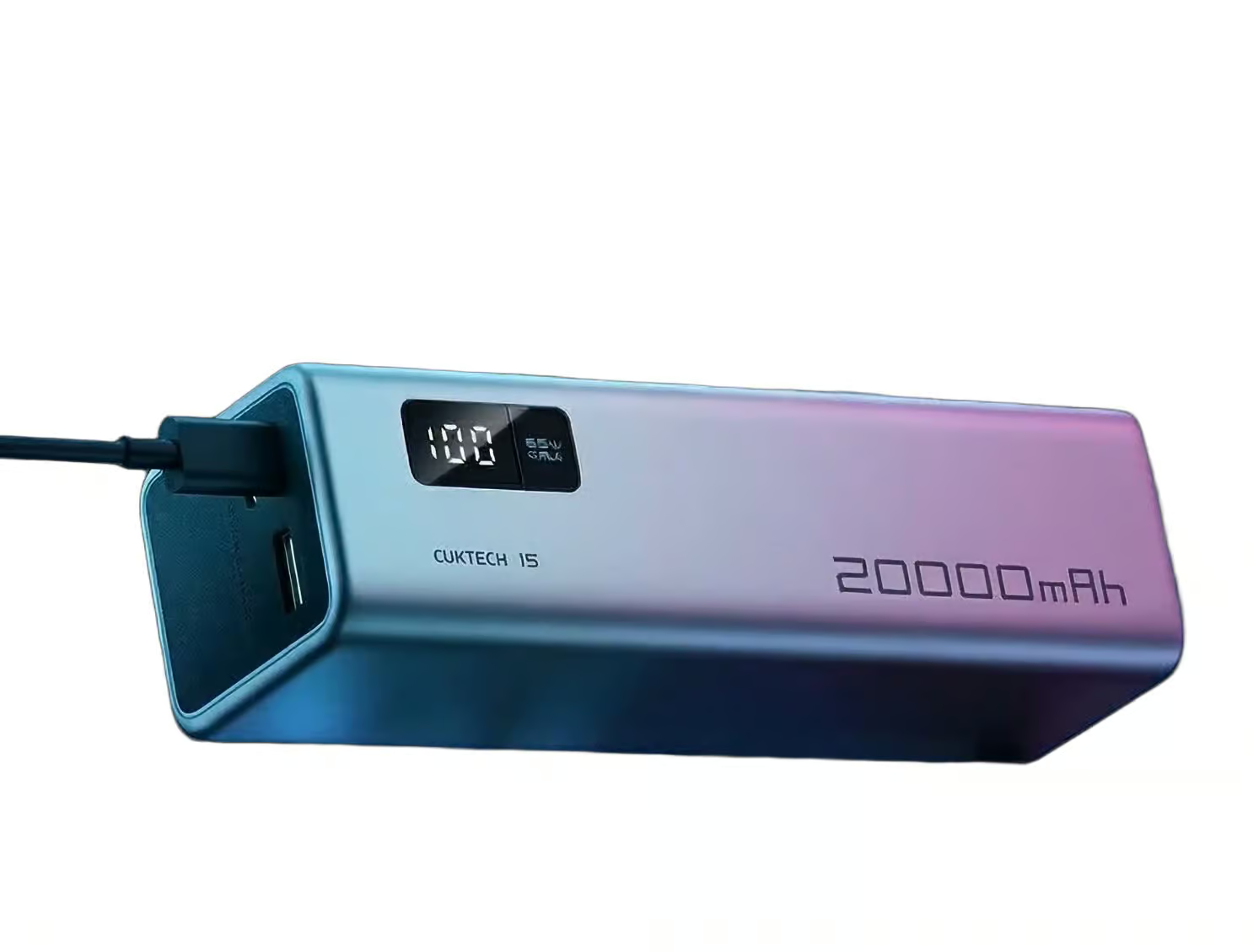
CUKTECH 15 SE Power Bank (PB200, 20,000mAh) Best Compact Option
The CUKTECH 15 SE sits in an interesting gap: high-output charging in a more compact form than the flagship Anker options. If you want serious USB-C power without going full premium and you’re happy with a less mainstream brand, this is worth a look.
| Spec | Detail |
|---|---|
| Capacity | 20,000mAh |
| Max output | Up to 140W |
| Ports | 2x USB-C, 1x USB-A |
| Weight | approx 415g |
| Display | LED digital display |
| Airline carry-on | Typically within 100Wh limits, check your airline |
What it’s good at: High output in a manageable size. Good for demanding USB-C devices and lighter laptop use.
What to watch: Less familiar brand. Check the exact variant before buying naming across the CUKTECH range can be confusing.
Who it’s for: Power users who want strong output without flagship size and price.
Who should skip it: Buyers who want the simplest mainstream recommendation.
Read our full CUKTECH 15 SE review →
5. Anker Prime Power Bank (26K, 300W) Best premium pick
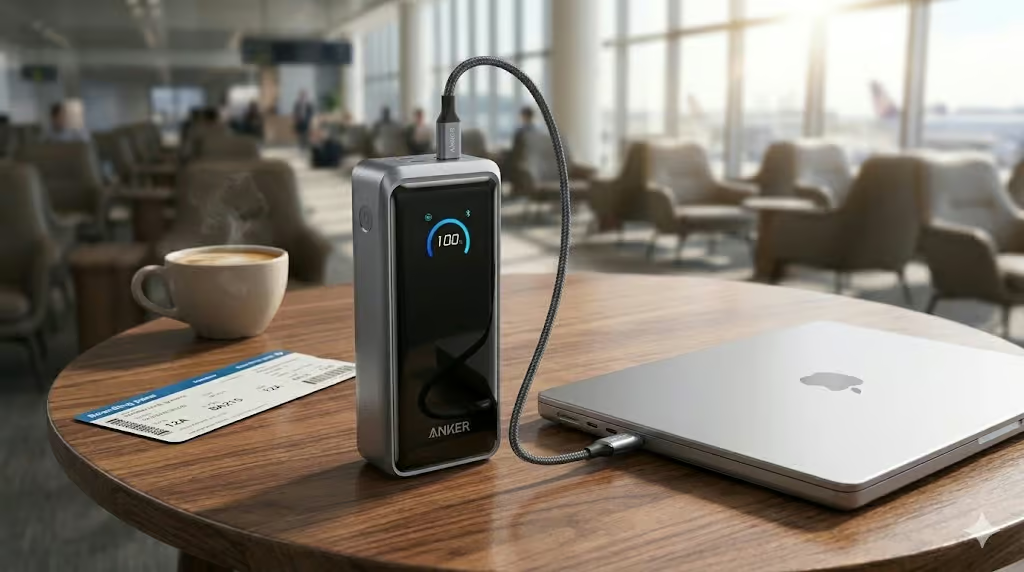
Anker Prime Power Bank (26,250mAh, 300W) Best Premium Pick
The Anker Prime is not for most people. That’s not a criticism, it’s a feature. 300W total output, two USB-C ports each capable of 140W, and 250W recharge input. It can reach 80% charge in about 40 minutes with the right wall charger.
It stays within airline carry-on limits at 99.75Wh. But it’s heavy, expensive, and more than the average traveller needs. If you’re asking “do I need this?” for most buyers, the honest answer is no.
| Spec | Detail |
|---|---|
| Capacity | 26,250mAh |
| Max output | 300W total (140W per USB-C port) |
| Ports | 2x USB-C, 1x USB-A |
| Weight | approx 599g |
| Display | Smart display with app support |
| Recharge input | Up to 250W |
| Airline carry-on | 99.75Wh, check your airline |
What it’s good at: Maximum output for demanding setups. Fast recharge. Strong multi-device simultaneous charging.
What to watch: Expensive. Heavy. Overkill for mainstream use.
Who it’s for: Creators, advanced laptop users, premium buyers running a serious device setup.
Who should skip it: Almost everyone who just wants a reliable everyday laptop power bank.
How to choose the right laptop power bank
Start with your laptop’s wattage
Check the wattage on your current charger or in your laptop specs. A 65W laptop needs a power bank outputting at least 65W from its USB-C port. Going higher is fine your laptop draws only what it needs. Going lower means slow or no charging under load.
How much capacity do you actually need?
PARAGRAPH BLOCK: For most laptop travel use, 20,000 – 25,000mAh is the right range. One important note: rated capacity is not what reaches your device. Expect roughly 60 – 70% efficiency in real-world use. A 24,000mAh bank delivers around 50 – 55Wh usable energy. A MacBook Air M2 has a 52.6Wh battery so realistically, around one full charge, not two.
USB-C PD – why the standard matters
PARAGRAPH BLOCK: USB-C Power Delivery negotiates charging speed between your device and the power bank. PD 3.0 handles up to 100W. PD 3.1 handles 140W+ for high-performance laptops. If you have a 16-inch MacBook Pro or a demanding Windows machine, look specifically for PD 3.1 support.
Frequently asked questions
What wattage do I need to charge a laptop from a power bank?
At minimum, match your laptop’s charger wattage. Most ultrabooks charge at 45W–65W. Performance laptops like the MacBook Pro 16-inch need 100W+ for full-speed charging. Going higher than your laptop’s requirement is fine.
Can a power bank fully charge a laptop?
A 20,000–25,000mAh bank will typically give you around one substantial charge of a mainstream laptop roughly 60–90% depending on your laptop’s battery size. More than enough for a travel day or remote work session.
Are laptop power banks allowed on planes?
Most in this guide fall under 100Wh, which is typically within airline carry-on limits. Policies vary always check with your specific airline, and always carry them in hand luggage, never checked bags.
Does the USB-C cable matter?
Yes significantly. A cheap cable can silently cap charging speed even if your power bank is rated at 100W. For 100W+ charging use an e-marked or 5A-rated cable.
What’s the difference between the Anker 737 and Anker A1695?
The 737 is the stronger all-round travel power bank with excellent display and proven multi-device performance. The A1695 adds built-in USB-C cables making it better if you want maximum convenience and fewer cables to carry.
How long does a laptop power bank take to recharge?
With a 100W wall charger, most 20,000 – 25,000mAh banks recharge in 2–3 hours. Always pair a high-capacity bank with a quality GaN wall charger for practical recharge times.
Which one should you buy?
For most people travelling with a laptop, the Anker 737 is the safest choice. Reliable, proven, and the display is genuinely useful.
If reducing cable clutter matters most, the Anker A1695 is the better fit. The built-in cables are a real quality-of-life improvement.
If you have a lighter laptop like a MacBook Air or you’re watching budget, the Anker 87W 20K covers most use cases at a lower price.
Want to see the full picture across all power banks? Check our best power banks for 2026 guide →





[…] you are still comparing sizes, weights, and charging options, our guide to the best laptop power banks gives you a broader view of the strongest […]
[…] If you are specifically looking for a power bank that can charge a laptop, see our Best laptop power banks for 2026 guide […]
[…] Not a laptop charger. Anker’s own documentation is clear on this. Emergency top-up only. […]
[…] Read our full Anker A1695 review. Or see our best laptop power banks for 2026. […]