
DISCLOSURE
This page contains affiliate links. If you buy through one of them, SmartGadgetKit may earn a small commission at no extra cost to you. I researched this product using manufacturer specifications, hands-on reviewer data, and owner community feedback.
INTRO
Most power banks won’t charge your laptop. This one will.
That’s the real reason the Anker A1383 gets attention. At 65W single-port output, it sits in a different category from the phone-topping-up chargers that dominate most “best power bank” lists. If you’ve ever watched a power bank slowly lose the battle against a MacBook’s battery drain, you’ll understand immediately why that matters.
This isn’t a lightweight pocket unit. At around 430 to 440g and roughly the size of a large smartphone (but thicker), it belongs in a bag: a travel bag, a laptop bag, a day pack. If that works for how you move, almost everything else about it is genuinely good.
KEY TAKEAWAYS
- At 65W single-port output, it can fast-charge most ultrabooks and the MacBook Air at useful speed, not just trickle power
- The built-in USB-C cable is the feature buyers mention most: one less thing to pack, one fewer cable to forget
- 72Wh puts it comfortably below the 100Wh carry-on threshold most airlines apply, but check your specific carrier before flying
QUICK VERDICT
The Anker A1383 is the best do-everything travel power bank for anyone charging more than just a phone. It handles phones, tablets, and lightweight laptops from a single unit, it comes with a cable already attached, and it recharges itself in around 1.5 hours with a 65W charger. The weight is real at 430 to 440g, so this earns its spot in a bag rather than a pocket. But for the person it’s designed for, it’s a genuinely useful piece of kit.
Anker Power Bank (20K, 87W, Built-In USB-C Cable) Best Values
WHAT IT IS
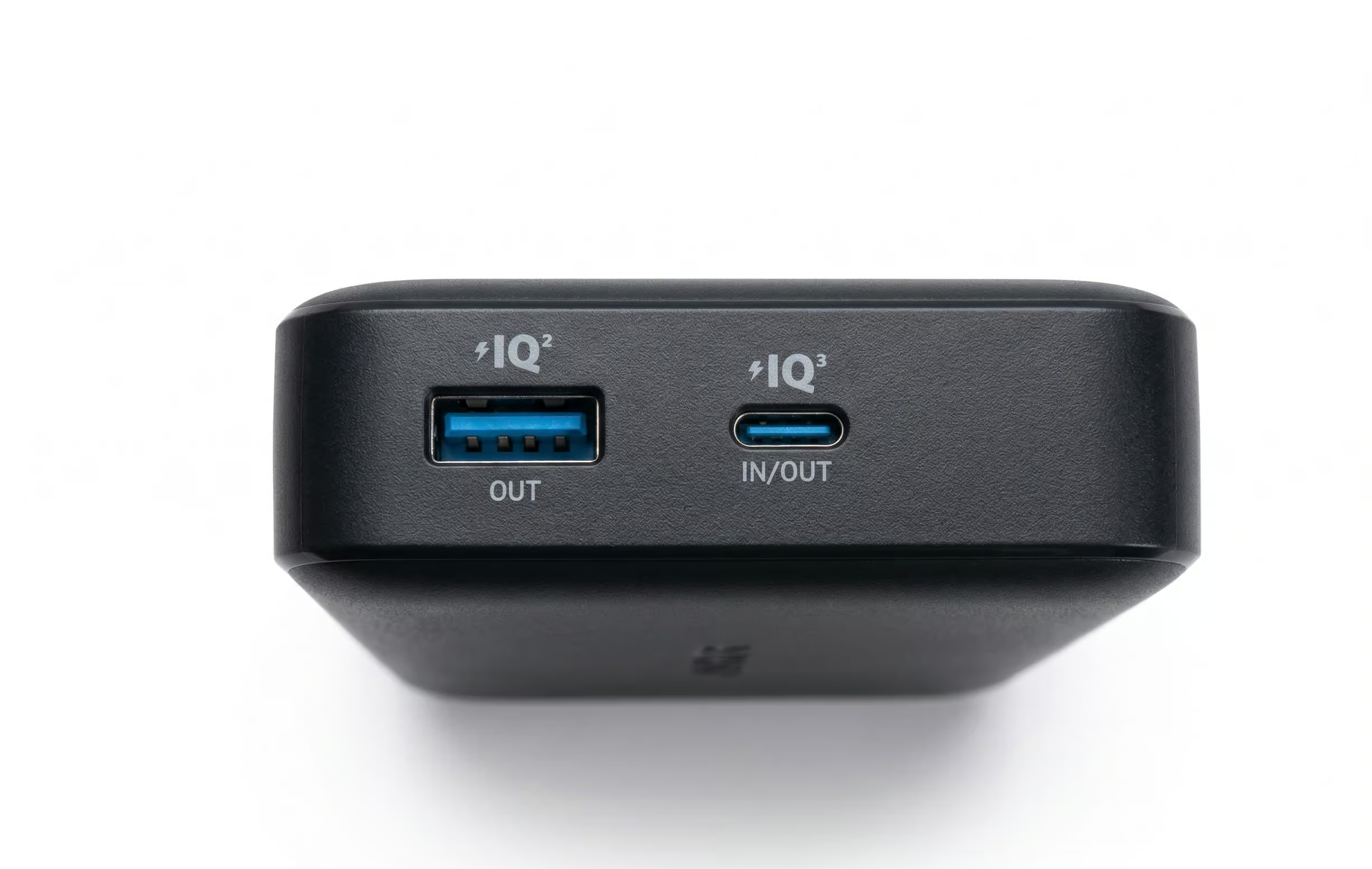
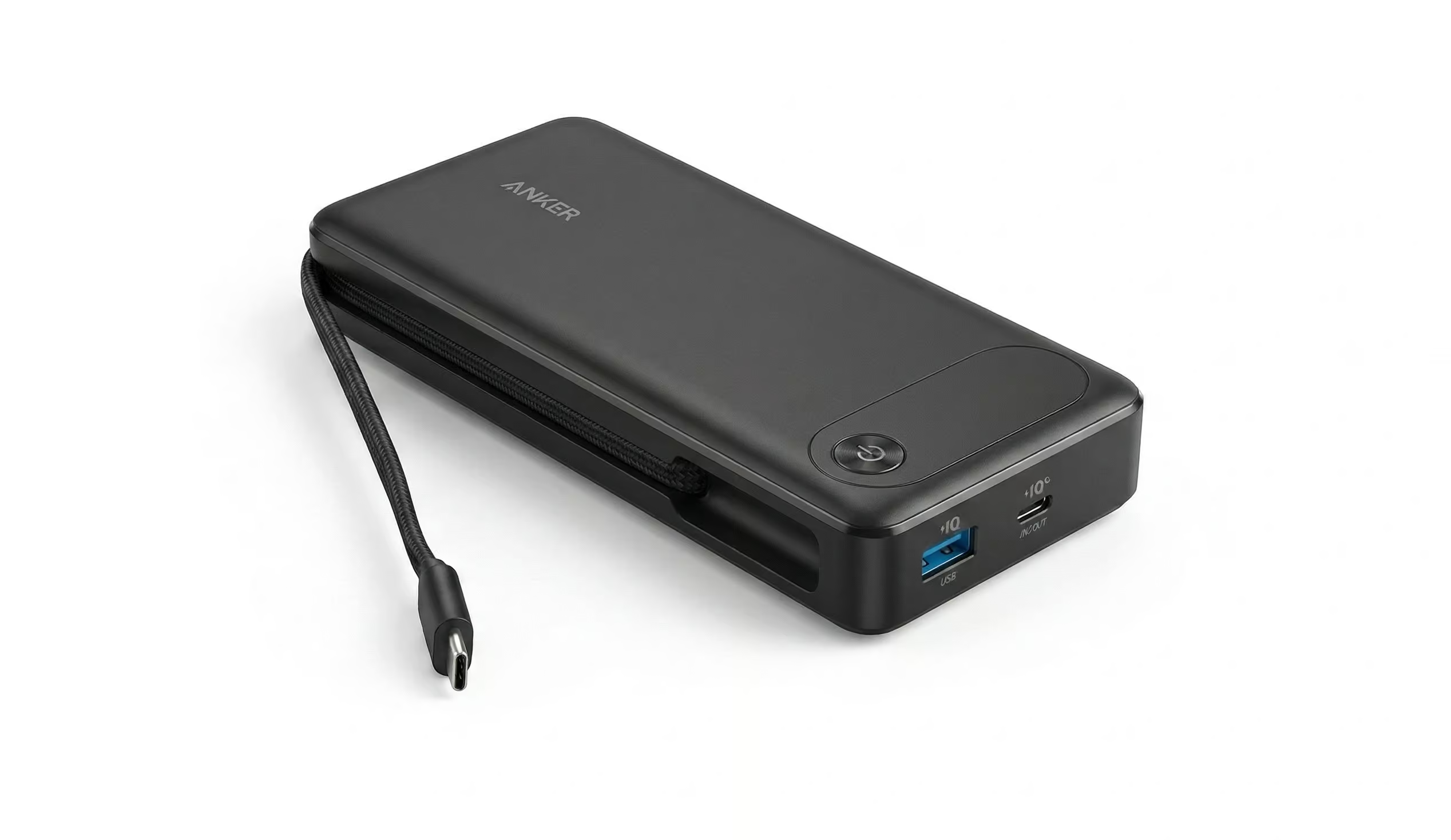
The Anker A1383 is a 20,000mAh portable power bank with a total output of 87W across three ports, a single-port maximum of 65W, and a built-in USB-C cable. It carries two USB-C ports and one USB-A port. The built-in cable connects to one of the USB-C positions, and both the cable and the dedicated USB-C port share that 65W maximum.
Anker markets it under the name “Anker Power Bank (20K, 87W, Built-In USB-C Cable).” Some listings and a few reviewers call it the PowerCore 20K. That’s the same product. The model number is A1383, and retail SKUs vary slightly (A1383H11-1 at Best Buy, for example), but the hardware is identical.
Anker doesn’t use “PowerCore” consistently across all storefronts. You’ll see this listed as PowerCore 20K, Anker 87W 20K, and Anker A1383 depending on where you’re shopping. They’re all the same product. The model number A1383 is the most reliable way to verify any listing.
WHO IT IS FOR
You travel or work away from a plug regularly, and you carry at least one laptop alongside your phone. You want one item that handles both without needing to bring a spare cable. You’re fine carrying 430 to 440g in a bag. You want something you can take through airport security without a second thought.
Specifically, this suits:
- MacBook Air users who want a near-full recharge from a power bank
- Remote workers who need to cover several hours away from a wall
- Multi-device travellers carrying a phone, laptop, and tablet on the same day
- Anyone who has ever arrived somewhere and realised they forgot their USB-C cable
WHO SHOULD SKIP IT
Be honest with yourself here.
If you only charge phones, this is overkill. A lighter, cheaper power bank will serve you better and cost less. TechRadar’s reviewer, who tested this unit, said exactly that: 87W is probably too much for many users, and even the 65W single-port capability is more than most modern laptops actually need to charge quickly.
Skip it if:
- You only charge phones and tablets, because you’re paying for wattage you’ll never use
- You charge a 16-inch MacBook Pro and need maximum output, so consider the UGREEN Nexode 165W instead
- You want a digital display showing exact battery percentage and real-time wattage, because the four LED dots on this unit won’t satisfy you
- You need confirmed Samsung PPS super fast charging, because PPS support is not confirmed in official A1383 specifications (more on this below)
NAMING AND VARIANT CLARITY
Worth flagging briefly. Anker doesn’t use the “PowerCore” label consistently for this product across all storefronts. The official name on Anker’s own US page is “Anker Power Bank (20K, 87W, Built-In USB-C Cable).” Community discussions, some retailers, and a number of review sites call it the PowerCore 20K or the Anker 87W 20K. They’re all referring to the same hardware, model A1383.
If you’re searching for it or trying to verify a listing, the model number A1383 is the most reliable identifier.
VERIFIED SPECS SNAPSHOT
| Spec | Value |
|---|---|
| Capacity | 20,000mAh / 72Wh |
| Total output | 87W |
| Single-port max | 65W (USB-C port or built-in cable) |
| USB-A output | 22W max |
| Input (max) | 65W via USB-C |
| Ports | 2x USB-C + 1x USB-A |
| Built-in cable | Yes, USB-C, fixed (not retractable) |
| Dimensions | ~15.75 x 7.35 x 2.6 cm |
| Weight | ~430 to 440g / ~15.5 oz |
| Display | 4x LED indicator dots |
| Recharge time (65W) | ~1.5 hours (Anker’s stated figure) |
| Recharge time (30W) | ~4.5 hours at 25°C (Anker FAQ) |
| Airline status | 72Wh, typically within carry-on limits |
| Warranty | 18 months |
| In the box | Power bank and welcome guide. No wall charger. |
Note: Weight figures vary slightly across official sources, ranging from 430.91g on the spec page to 440g cited elsewhere. Treat all figures as approximate.
WHAT THESE SPECS MEAN IN REAL USE
- The 87W total output is shared across all three ports simultaneously. One device connected to the USB-C port or built-in cable gets up to 65W. That’s enough to fast-charge a MacBook Air, most ultrabooks, and any modern phone at full speed.
- The 72Wh rating matters more than the 20,000mAh headline when it comes to calculating real charges. Batteries lose 30 to 45% of rated energy in the conversion process, and Anker’s own FAQ confirms this. The usable energy delivered to your devices sits at roughly 46 to 50Wh.
- Based on that usable range and typical efficiency losses, here’s what to expect. These are calculated estimates and real results vary with temperature, device age, and battery health:
- iPhone 15: roughly 3.5 to 4 full charges
- Samsung S24: roughly 3 to 3.3 full charges
- iPad Air: roughly 1.5 to 1.8 full charges
- MacBook Air M2: roughly one near-full charge, close to 100% from flat but not guaranteed to get there
- Getting a MacBook Air from 0% to 100% is borderline on the numbers. You’ll get very close, but don’t count on it topping out if the laptop was being pushed hard. Think of this as a near-full safety net rather than a guaranteed full recharge. TechRadar’s reviewer observed that the bank used roughly 30% of its capacity to charge a Google Pixel 7a (4,385mAh battery), which is consistent with these estimates.
- The 65W input means recharging the bank itself is fast. Anker states 1.5 hours with a 65W charger, and a calculated estimate based on the 72Wh capacity and real-world taper puts the honest range at around 1.3 to 1.6 hours. With a 30W charger, expect around 4 to 5 hours, and Anker’s FAQ anchors this at 4.5 hours at 25°C.
- No wall charger is included in the box. You’ll need a USB-C charger that supports 65W input to hit the fast recharge time.
At 72Wh, the A1383 sits below the 100Wh threshold that most airlines apply to carry-on lithium batteries. It must travel in carry-on luggage, not checked bags. Rules vary by carrier and route, so always confirm with your airline before you fly.
WHAT WE LIKE
The built-in cable is genuinely useful, not a gimmick. Buyers consistently name it as the reason they chose this over alternatives. It’s one less cable to pack, one fewer item to forget, and one thing you can’t leave on an airport charging bench. The cable is rated for over 10,000 bends per Anker’s specification.
65W single-port output is real laptop territory. Most power banks in this capacity class cap at 22W or 30W, which means they slow-drip power into a laptop while the laptop’s own use cancels part of it out. The A1383 doesn’t have that problem.
Recharging it is quick. With a 65W USB-C charger, you’re looking at around 1.5 hours from flat. For a 20,000mAh unit, that’s fast.
The 72Wh rating keeps it within the standard carry-on threshold for most airlines. That matters if you travel regularly.
Build quality earns consistent praise. TechRadar described it as feeling “solidly constructed.” The TechEnclave community reviewer, who bought it specifically for use with a ROG Ally handheld, noted that Anker’s build quality compares favourably to cheaper alternatives.
WHAT TO WATCH OUT FOR
The weight is real. 440g is not a pocket item. It goes in a bag, and if bag weight matters to you, factor that in. Lighter alternatives exist at this capacity, though usually at lower output.
No digital display. The four LED dots tell you roughly how much charge is left. They won’t tell you the exact percentage or the real-time wattage. If you want that information, and some people genuinely rely on it, the Baseus Blade 20K has an LCD screen that shows both.
Samsung PPS fast charging is unconfirmed. The A1383’s output voltage steps are consistent with USB-C Power Delivery 3.0, but Anker has not confirmed PPS support in the official A1383 specification. Samsung’s Super Fast Charging depends on PPS. If Samsung fast charging at its full speed is non-negotiable for you, verify this before buying.
The built-in cable is short, approximately 6 inches according to one reviewer, though that figure isn’t confirmed in Anker’s official specs. The practical implication is clear: the power bank will sit close to whatever you’re charging. Fine on a desk or a tray table, but less comfortable if you want the bank in a bag while the cable reaches a device further away.
Low-draw devices need a workaround. One owner in the TechEnclave community reported that the bank shuts off after around a minute when charging very low-draw devices like small earbuds. A double-press of the power button activates a low-power mode that fixes this. It’s a minor quirk but worth knowing before you assume your earbuds aren’t charging.
The box includes no wall charger. You need to bring your own 65W USB-C charger to hit the fast recharge time.
REAL WORLD SCENARIOS
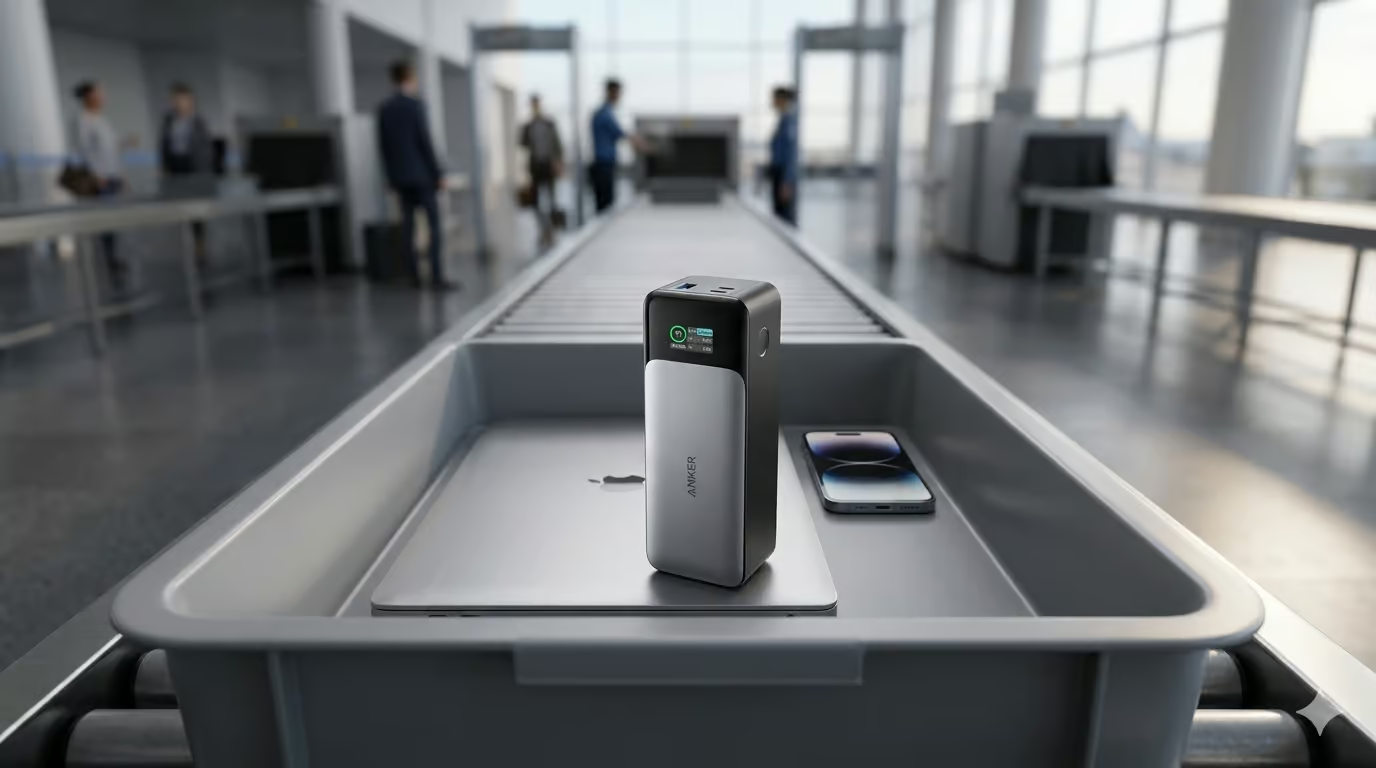
Scenario 1: The Airport Day You’re at the gate at 7am with 60% on your MacBook Air and a long layover ahead. You plug the A1383 into the laptop using the built-in cable, tuck the power bank into your bag beside the laptop, and let it run. By boarding time, the laptop is at or near full. Your phone has been topped up twice without needing a second cable. You went through security without any conversations about the power bank.
Scenario 2: The Co-Working Cafe You’re three hours into a working session at a cafe with one power outlet taken. Your MacBook Air is at 35%. You connect the A1383 directly to the laptop via the built-in cable and carry on working. The bank’s 65W output means the laptop is charging faster than it’s draining. You’re gaining battery, not just slowing the loss. You have enough capacity left in the bank to get your phone back to full before the afternoon.
Scenario 3: The Multi-Device Travel Day Long-haul flight. You’ve got a phone, a MacBook Air, and an iPad. All three can connect simultaneously. The MacBook gets up to 65W via USB-C. The iPad and phone share across the remaining ports. You land with everything charged and one fewer thing to stress about mid-flight.
HOW IT COMPARES
Not every 20,000mAh power bank is built for the same person. Here is how the A1383 sits against the two closest alternatives at a similar price.
Anker A1383 vs Baseus EnerCore CR11
The CR11 costs less at around £40 and weighs less at 389g. Its retractable cable is genuinely neater than the A1383’s fixed cable, and 67W is enough for a MacBook Air. If you want the lightest option with a cable included and you only ever charge one device at a time, the CR11 makes sense.
The A1383 pulls ahead when you need to charge multiple devices simultaneously. Its 87W total gives you real headroom across three ports at once, the build feels more substantial, and the Anker warranty and support track record is stronger. For most laptop-carrying travellers, it earns the extra cost.
[Internal: Read full CR11 review → (add link when published)]
Anker A1383 vs Baseus Blade 20K
The Blade is the one to consider if you want a live display. Its LCD screen shows real-time wattage and exact battery percentage, which is genuinely useful if you like to know exactly what is happening while charging. It also delivers up to 100W and sits flatter in a bag. Price is similar at around £55 to £65.
The gap is the cable. The Blade has no built-in cable at all. If the whole reason you are looking at the A1383 is to travel with one less thing to carry, the Blade does not solve that problem.
[Internal: Read full Blade 20K review → (add link when published)]
COMMON MISTAKES BUYERS MAKE
Assuming 20,000mAh delivers 20,000mAh to your devices. It doesn’t. Conversion losses mean the usable energy reaching your phone or laptop is roughly 65 to 70% of the rated capacity. For the A1383’s 72Wh, that’s around 46 to 50Wh in practice. The charge count estimates above are based on that figure, not the headline number.
Assuming “airline approved” means every airline has confirmed it. Anker uses this phrase in their marketing. What it actually reflects is that 72Wh falls below the 100Wh threshold that most airlines apply for carry-on lithium batteries. That’s a useful data point but not a universal guarantee. Check with your carrier, particularly for international routes.
Expecting Samsung Super Fast Charging without checking. The A1383 supports USB-C Power Delivery and will charge Samsung phones at good speed. Whether it delivers Samsung’s PPS-based Super Fast Charging tier specifically is unconfirmed in official specs. Don’t assume it will.
Forgetting the power bank needs charging too. The box contains no wall charger. If your existing setup only has a low-wattage USB-C charger, the 4.5-hour recharge time at 30W will feel slow. A 65W USB-C charger unlocks the 1.5-hour recharge and it’s worth having one.
FAQ
How many times can the Anker A1383 charge an iPhone 15? Based on the rated 72Wh capacity and typical conversion efficiency losses of 30 to 45%, the A1383 should deliver roughly 3.5 to 4 full charges of an iPhone 15 (3,349mAh / 12.84Wh battery). This is a calculated estimate and actual results vary with temperature and battery health. Anker’s own FAQ references around 3.8 charges for a similar-sized device, which is consistent with this range.
How long does the Anker A1383 take to charge itself? Anker states approximately 1.5 hours using a 65W USB-C charger. A calculated estimate based on the 72Wh capacity puts the realistic range at 1.3 to 1.6 hours with taper accounted for. Using a 30W charger, Anker’s own FAQ puts the time at around 4.5 hours at 25°C. No wall charger is included in the box.
Is the Anker A1383 allowed on planes? At 72Wh, the A1383 falls below the 100Wh threshold that most airlines apply to carry-on lithium batteries without special approval. Power banks must travel in carry-on luggage, not checked bags. That said, airline rules vary by carrier and route, so always check with your specific airline before flying. Anker’s marketing uses the phrase “airline approved,” which reflects the Wh positioning and not a formal endorsement from any airline.
Does the Anker A1383 support Samsung fast charging or PPS? The A1383 supports USB-C Power Delivery and will charge Samsung phones at useful speed. Whether it delivers Samsung’s PPS-based Super Fast Charging tier specifically is not confirmed in official Anker specifications for this model. The output voltage steps are consistent with USB PD 3.0 but PPS support has not been explicitly documented. If Samsung Super Fast Charging is essential to you, verify directly with Anker before purchasing.
Is the Anker A1383 affected by the Anker power bank recalls? No. The A1383 is not listed in any confirmed Anker recall notice at time of writing. The September 2025 recall issued by the US Consumer Product Safety Commission (CPSC recall #25-466) covers models A1647, A1652, A1257, A1681, and A1689. Earlier recalls covered models A1642 and A1263. The A1383 is a different product and does not appear on any published recall list. You can verify your specific unit’s status at anker.com/product-recalls. The distinction matters, and so does knowing the recalls exist.
What is the maximum output per port on the Anker A1383? The built-in USB-C cable and the dedicated USB-C port share a 65W maximum. Using one device on either of those outputs, you get up to 65W. The USB-A port delivers up to 22W. The total 87W figure applies when charging three devices simultaneously and is not what any single port delivers alone.
FINAL VERDICT AND NEXT STEP
The Anker A1383 does something most power banks don’t: it charges laptops at a speed that actually helps. 65W is enough to push a MacBook Air or most ultrabooks faster than they drain. The built-in cable removes a genuine friction point for travellers. At 72Wh, it travels carry-on without the maths anxiety.
It’s heavier than you’d want for a pocket item. There’s no display beyond four LED dots. Samsung PPS support is unconfirmed. If none of those things are dealbreakers for your use case, and for the multi-device traveller they probably aren’t, this is a very well-considered piece of kit.
Phone-only? There are better options at half the price. For everyone else carrying a laptop on the road, this is the power bank that earns its weight.
Anker Power Bank (20K, 87W, Built-In USB-C Cable) Best Values
SCORING
Build Quality: 4.5/5 — Consistent praise from TechRadar and TechEnclave community reviewers for solid construction; cable rated to 10,000+ bends per Anker spec. Performance: 4.5/5 — 65W single-port genuinely charges laptops at useful speed; recharge time of ~1.5 hours at 65W is strong for the capacity class. Portability: 3.5/5 — 430 to 440g and ~15.75cm length are manageable in a bag but this is not a compact or pocket unit; TechRadar noted it is admirably thin for its capacity. Value: 4/5 — At $50 on sale it competes well; at $70 list the Baseus alternatives narrow the gap, but the Anker build quality and warranty support the price. Travel Friendliness: 4.5/5 — 72Wh under the 100Wh airline threshold; built-in cable reduces packing friction; no wall charger included is a minor deduction.
Overall: 4.2/5



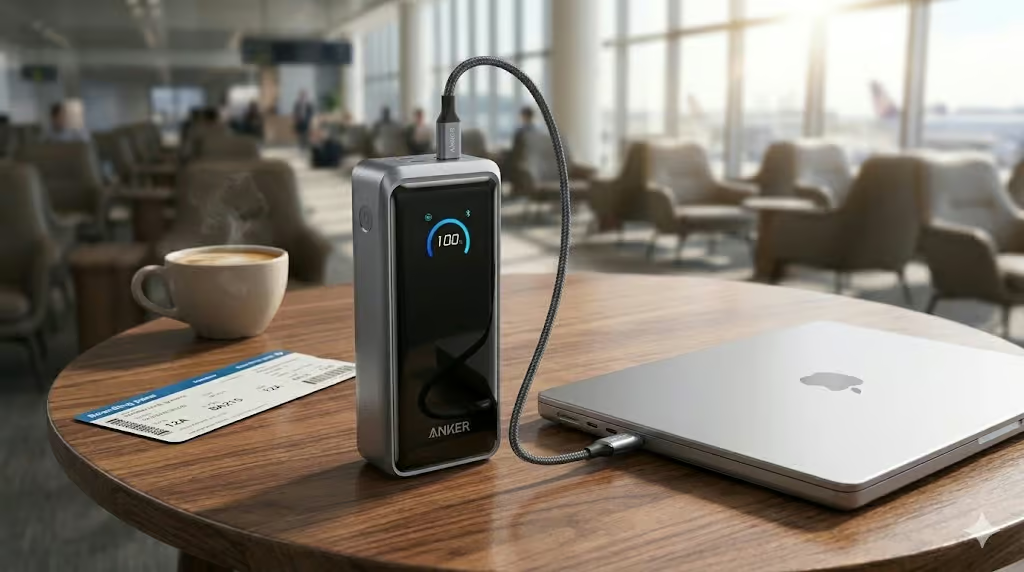

[…] Anker Power Bank 20,000mAh 87W Review: The One That Actually Charges Your Laptop […]
[…] Anker 87W 20K (74Wh) – best mainstream pick. Read the full Anker 87W review: https://smartgadgetkit.com/anker-power-bank-20000mah-87w-review-the-one-that-actually-charges-your-l… […]
[…] Read our full Anker 87W 20K review. […]