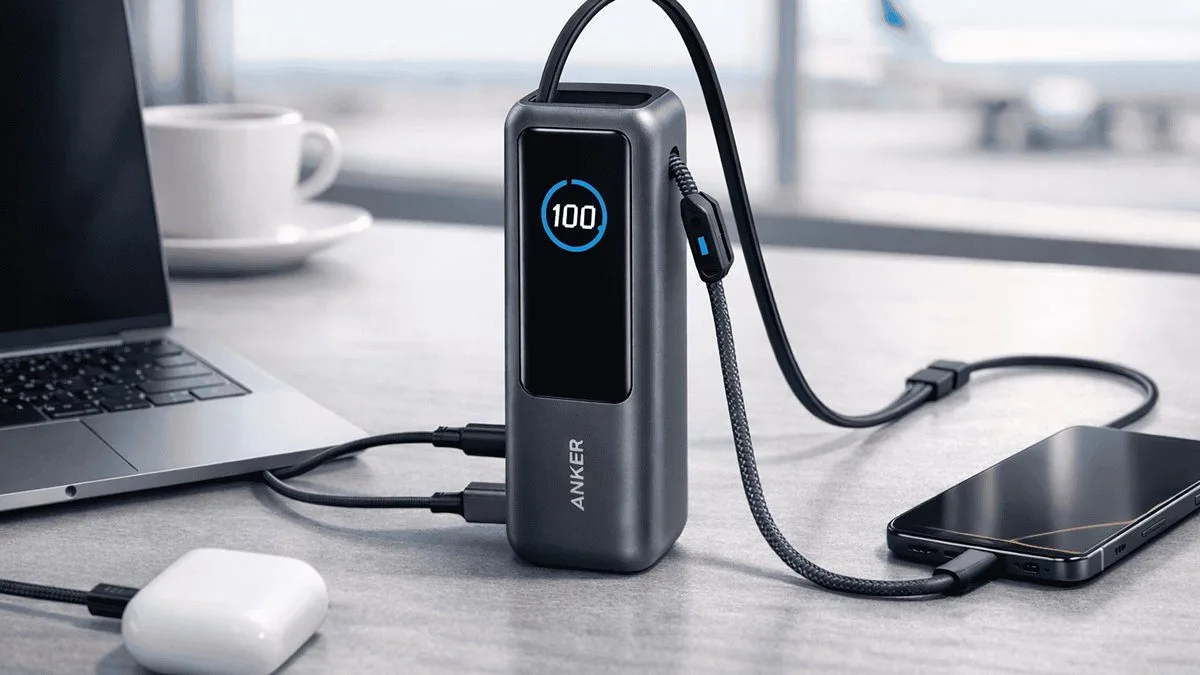
Review · Power banks · A1289
Anker 737 Power Bank Review (A1289): Still the 140W Benchmark?
This Anker 737 review looks at the A1289 model, the PowerCore 24K that was one of the first flight-safe packs to put a 140W USB-C socket in your bag and accept the same speed back. Three years after launch it is still a strong recommendation, but newer Anker banks have since raised the bar.

Scored against independent measured testing
SmartGadgetKit is reader-supported. We may earn a commission if you buy through links on this page, at no extra cost to you. We only recommend gear we would carry ourselves.
Expert Score
A flight-safe 86.4Wh pack that still puts a genuine 140W USB-C port in your bag, with a display that removes the guesswork. The 630g weight, 18W USB-A port and ageing platform keep it from a higher score.
Pros
- Verified 140W single-port output under load in independent testing
- 86.4Wh sits comfortably under the 100Wh airline carry-on ceiling
- 1 to 1.5 hour self-recharge with a 140W wall charger, per independent testing
- Smart display shows live wattage, battery health and cycle count
Cons
- 630g is bag carry, not pocket carry
- USB-A port is limited to 18W
- Needs a 5A e-marked USB-C cable to see the full 140W
- Anker’s Prime line has since raised the flagship bar
Key takeaways
Six numbers that decide whether this is your power bank
Quick specs
The paper numbers for the Anker 737 Power Bank (PowerCore 24K)
| Model number | A1289 |
| Cell capacity | 24,000mAh / 86.4Wh |
| Max output | 140W (USB-C, PD 3.1) |
| Ports | 2x USB-C (140W), 1x USB-A (18W) |
| Recharge | 140W input, 1 to 1.5 hours |
| Weight | 630g |
| Dimensions | 155.7 x 54.6 x 49.5mm |
| Display | Smart digital display |
| Warranty | 24 months |
Specs confirmed against Anker’s official A1289 product page and the Amazon listing. See how we test and score.
First impressions
The 737 makes no attempt to hide what it is: a dense, glossy black brick with a screen. Pick it up and the 630g registers immediately. That heft bought something rare when it launched, and mostly still does: laptop-class charging that clears airport security without a second glance.
The screen is what wins people over. Most banks give you four LEDs and a guess. The 737 shows exactly how many watts are flowing in and out, the battery’s health percentage and its cycle count. If your laptop is charging slowly, the display tells you why before you have opened a settings menu.
In the box you get the bank, a short USB-C cable and the paperwork. There is no 140W wall charger included, so factor that in if you want the fastest self-recharge.
Design and build
A chunky brick format built around the screen and the 140W port
At 630g and 155.7 x 54.6 x 49.5mm, this is a pack you allocate space to. Anker publishes both figures on its A1289 product page, and the weight there is the product weight rather than a shipping weight, which is a distinction worth holding on to when comparing listings.
The chunky-brick format is a deliberate trade. Anker packed 24,000mAh and a 140W-capable board into a shape that stands upright on a desk, survives being thrown into a rucksack, and sheds heat through a solid shell rather than a slim one.
Two things to know before you buy. First, the display: left switched on permanently, the bank can drain roughly 15 percent in 24 hours just powering the screen, a behaviour Anker documents in its own product FAQ. Treat the display as a check-in tool rather than a permanent dashboard and standby drain is a non-issue.
Second, the USB-A port sits at 18W, which in 2026 makes it strictly a phone-and-earbuds port. Everything serious happens over USB-C.
 Darleene asks
“My phone charger is tiny and does the job. Why would I carry something this big and this powerful?”
Alisdair’s answer: because this is not a phone charger, it is a laptop’s wall plug in your bag. 140W refills a MacBook while you keep working, not just a phone overnight, and the 24,000mAh holds enough for a full laptop charge plus a couple of phone top-ups.
If a phone is all you ever carry, it is more bank than you need, and a lighter one will make you happier.
If a laptop travels with you, this one replaces the charger and the hunt for a free socket.
Independent testing
What the Anker 737 power bank delivers under test
Two independent reviewers put meters on this power bank. Each result below is theirs, named in full and never linked.
Found the USB-C port sustaining its 140W single-port output under load, the claim the whole bank rests on.
Charged the bank from flat inside the advertised window when fed by a 140W USB-C wall charger.
The 140W figure only appears with a PD 3.1 device and a 5A e-marked USB-C cable. A standard 60W cable silently caps output.
The headline is Power Delivery 3.1, which steps up to 28V at 5A. That 28V step is the whole trick. Older PD 3.0 banks top out at 20V/5A, which is 100W. PD 3.1’s extended power range is what lets a bank this size feed a 16-inch laptop at full tilt.
One more honest number: the 140W is a combined budget across ports, not 140W per port at the same time. Charge a laptop and a phone together and the bank splits its output. For a single-device push, it is as fast as flight-safe banks get.
Darleene’s version: one cable, one laptop, full speed. Add a second device and the speed is shared, not doubled.
The single figure that decides it for anyone who flies. The 737’s rated energy sits well under the 100Wh cabin ceiling most airlines apply, so you are carrying close to the legal maximum with laptop-grade output attached. Airlines set their own rules, so confirm with yours before you travel.
If 140W laptop charging from a bag is the job you are buying for, the evidence above is the whole argument.
amazonCheck latest pricePass-through charging and the display
The 737 charges itself while charging your devices, so it can sit on a desk as a small overnight charging hub. Pass-through shares the same power budget, so expect slower device charging while the bank fills itself.
The OLED panel on the face reports what is going in and what is coming out. The screen is useful rather than ornamental, and Macworld reads its iPhone results straight off that display. The limit is that the display tells you rates, not the state of the cells over time, and Anker publishes no charge-cycle rating for this model.
Portability and travel use
630g and 155.7 x 54.6 x 49.5mm puts this in a bag, permanently. It is not a coat pocket item and it is not meant to be.
What the weight buys is laptop-class capacity and output in a single unit. For a working day away from the mains, the trade-off is usually worth it. For a night out, it is overkill.
The upright brick shape also helps. It sits on a cafe table without rolling, and the ports face upward where the cables fall naturally.
Can you take the Anker 737 on a plane?
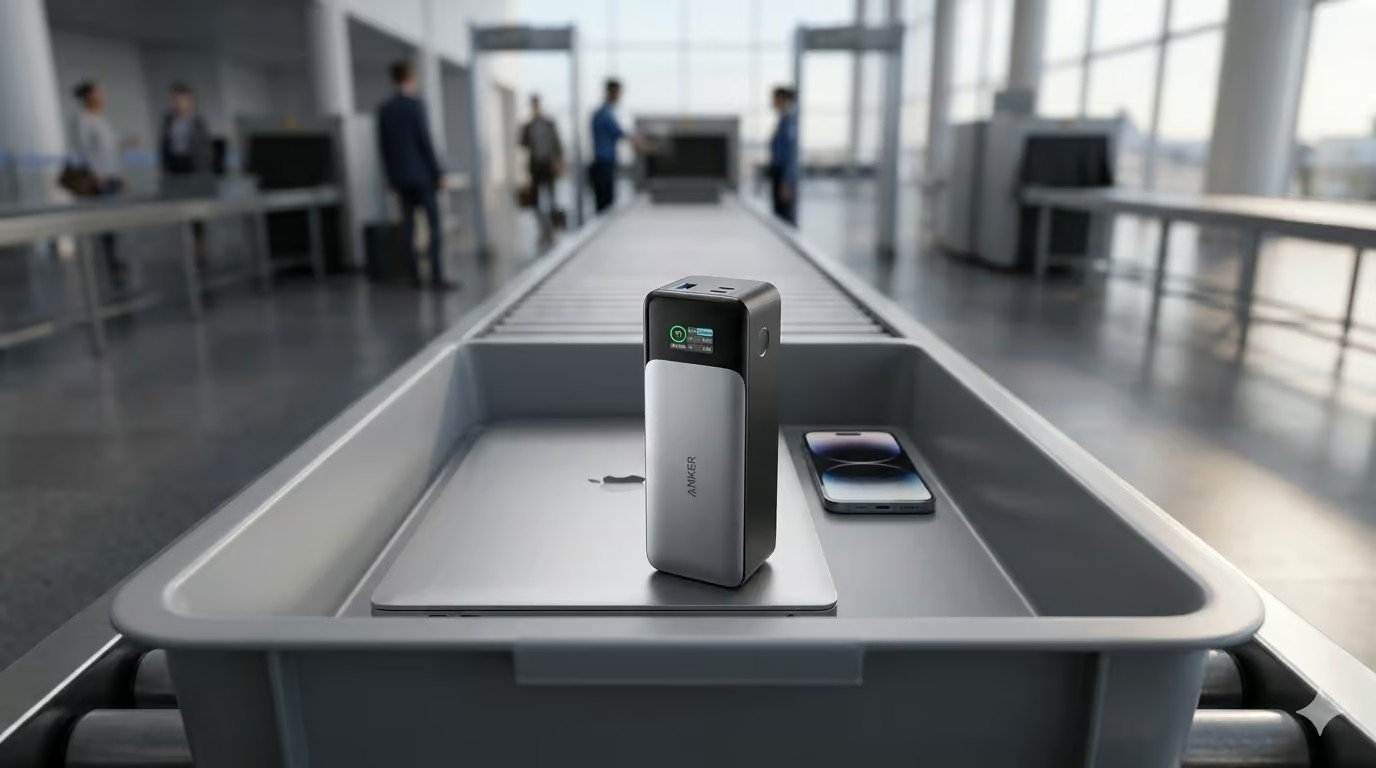
At 86.4Wh the Anker 737 sits comfortably under the 100Wh threshold that UK CAA, EU and US rules apply to spare lithium batteries in carry-on luggage. You do not need airline approval to bring it on board.
It must travel in your hand luggage, never in checked baggage. Rules can shift and some airlines add their own limits, so confirm with your carrier before you fly.
Full rules are in our can you take a power bank on a plane? guide. Check any capacity in seconds with our mAh to Wh calculator.
Specifications
Every figure, with its source attached
Manufacturer figures are specifications or claims. Measured figures belong to the independent outlet named beside them. Nothing on this page was measured by SmartGadgetKit.
| Specification | Figure | Source |
|---|---|---|
| Model number | A1289 | Anker |
| Cell capacity | 24,000mAh / 86.4Wh | Anker |
| Maximum single USB-C output | 140W, PD 3.1 | Anker, held under load in ChargerLab testing |
| Maximum USB-A output | 18W | Anker |
| Maximum combined output | 140W shared across ports | Anker |
| Input (recharge) | 140W via USB-C, 1 to 1.5 hours | Anker, verified by TechRadar |
| Dimensions and weight | 155.7 x 54.6 x 49.5mm, 630g | Anker |
| Display | Smart digital display: wattage in/out, battery health, cycles | Anker |
| Pass-through charging | Yes | Anker |
| In the box | Power bank, USB-C cable, documentation, 24-month warranty. No wall charger included. | Anker |
The 737 carries the CE and UKCA conformity markings required for the UK and EU markets. Confirm the exact certification marks on the unit and packaging when yours arrives.
If the numbers already make the case for you, the current Amazon listing is one tap away.
amazonCheck latest priceScoring
How the Anker 737 scores
Four category scores, fixed by editorial judgement. The overall is not their average.
The overall lands at 7.0 rather than higher because the platform is ageing. It is an editorial judgement about who should buy it, not an average of the four bars above.
The verdict
It does one demanding job exceptionally well: it puts a 140W USB-C socket in your bag that airport security will not question. The display, the dual USB-C layout and the fast self-recharge all support that single purpose.
What you give up is pocketability and some future-proofing. Newer Anker banks are lighter for the capacity or more powerful overall, but they also cost more and not all of them fly as cleanly.
The easy recommendation is for anyone who charges a 14-inch or 16-inch laptop away from the wall and wants one device that handles the laptop, phone and earbuds.
140W laptop charging from a bag is the job it does properly, and it is the only job worth buying it for.
amazonCheck latest priceShould you buy it?
Where it wins, and where it costs you
Buy it if
- You charge a USB-C laptop away from the mains
- You fly often and want a flight-safe 86.4Wh bank
- You want the fastest self-recharge in the category from a brand with a long safety record
- You already carry a bag and 630g will disappear into it
Do not buy it if
- Your heaviest device is a phone, in which case this is far more pack than you need
- You want something that lives in a pocket
- You want built-in cables and nothing extra to remember
- You want the newest platform, because Anker’s Prime line has moved the flagship goalposts
Buy it if working away from sockets with a laptop is your normal, skip it if a phone is the whole job.
amazonCheck latest priceHow it compares
The two products a reader is most likely weighing against it
| Anker 737 (A1289) | Anker A1695 | Anker 87W (A1383) | |
|---|---|---|---|
| Cell capacity | 24,000mAh / 86.4Wh | 25,000mAh / 90Wh | 20,000mAh / 72Wh |
| Max output | 140W (PD 3.1) | 165W total (100W per USB-C) | 87W total (65W single-port) |
| Ports | 2x USB-C, 1x USB-A | 2x USB-C, 1x USB-A, built-in cables | 2x USB-C, 1x USB-A, built-in cable |
| Weight | 630g | Heavier than 737 | Lighter than 737 |
| Flight safe | Yes, under 100Wh | Yes, under 100Wh | Yes, under 100Wh |
| Best for | 140W laptop charging from a bag | Travel with built-in cables and multiple devices | One laptop and a phone at the lowest carry weight |
Rival figures come from the Anker A1289, A1695 and A1383 product pages. See our full Anker A1695 review and Anker 87W review for the deeper comparison.
If this one is not the fit
Three alternatives, three different readers
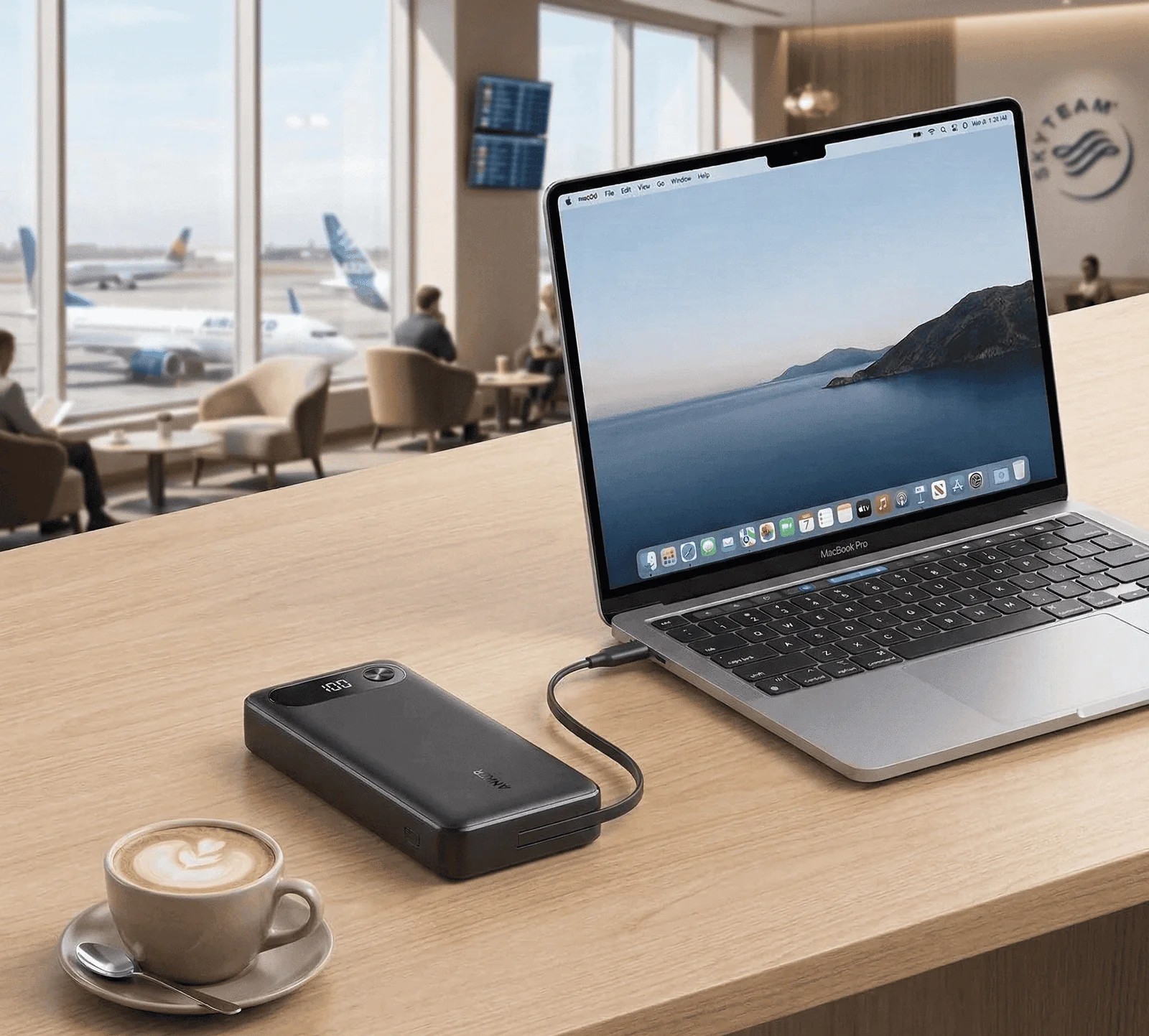
Anker 87W Power Bank (A1383)
Slightly lower peak wattage, similar capacity class, and a built-in USB-C cable. Often the smarter buy for 65W-class laptops.
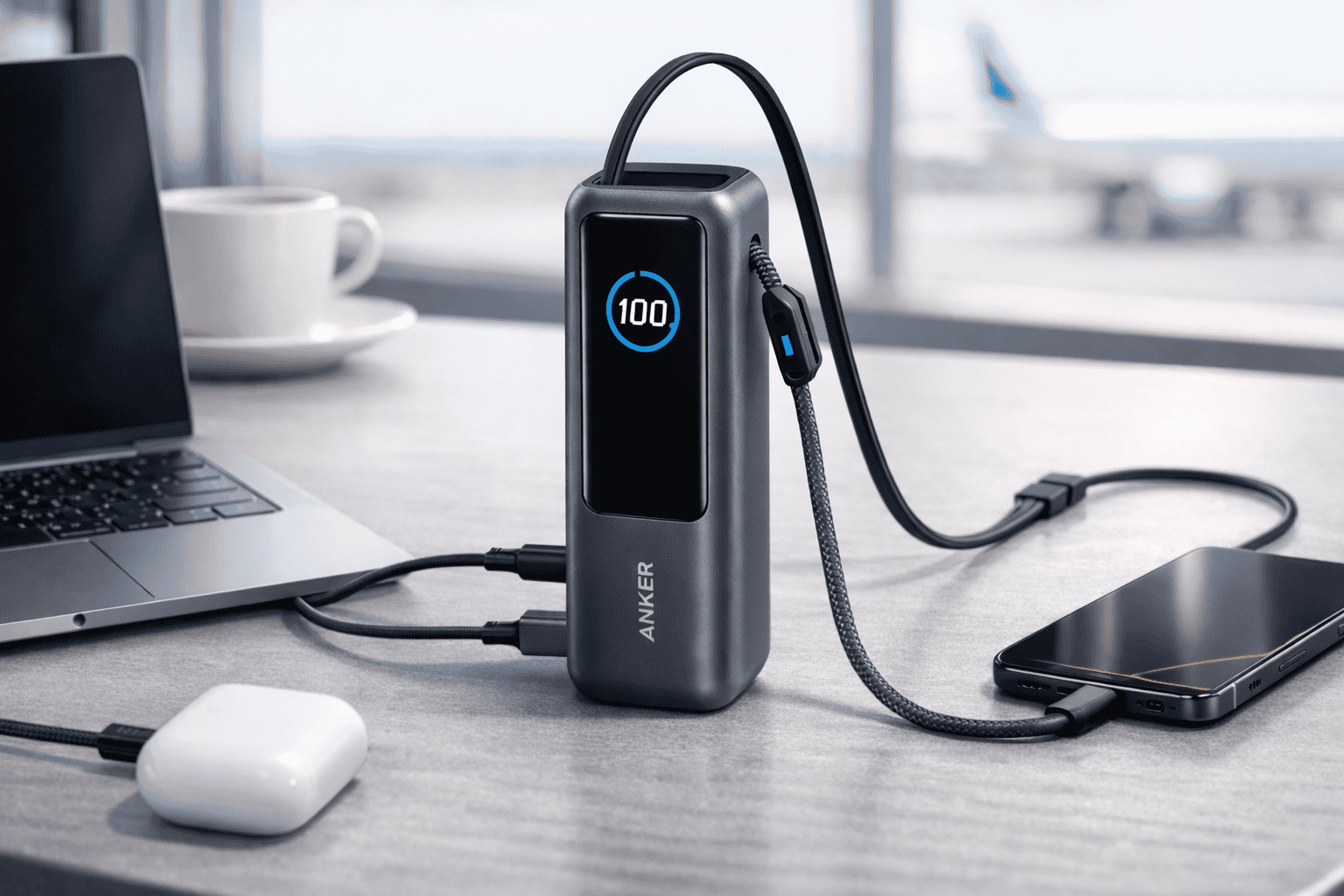
Anker A1695
The newer travel-first option with built-in USB-C cables, 25,000mAh and up to 165W total output. More versatile, heavier than the 737.

Baseus Blade H1 100W
A 20,000mAh/100W slab that trades the 737’s raw wattage for a much thinner shape. The better fit if your laptop tops out at 65W to 100W.
Need it to run a laptop? Compare every high-wattage pick in our laptop power banks hub.
FAQ
Questions readers ask
Is the Anker 737 any good?
Yes, for the right buyer. It is still one of the fastest 140W power banks you can fly with, and the smart display removes a lot of the guesswork. The catches are the 630g weight, the 18W USB-A port and the fact that newer Anker banks have since raised the bar.
When did the Anker 737 launch?
It launched in 2022 as part of Anker’s Series 7 line. The hardware has not changed much since, which is why it now reads as a proven workhorse rather than the newest platform.
What is the warranty on the Anker 737?
Anker backs the 737 with a 24 month warranty. Register the unit directly with Anker and keep your receipt to make a claim.
How long does the Anker 737 take to recharge from 0 to 100?
1 to 1.5 hours with a 140W USB-C wall charger, per Anker’s published spec and corroborated by TechRadar. A 65W charger roughly doubles that time.
Is the 140W output sustained or peak?
The 140W figure is the maximum combined output the bank can deliver, shared across the ports. It is not 140W per port simultaneously. On a single USB-C port with a PD 3.1 device and a 5A e-marked cable, it can sustain the full 140W. Add a second device and the budget is split.
Can I take the Anker 737 on a plane?
Yes. At 86.4Wh it is under the 100Wh carry-on limit that UK CAA, EU and US rules apply to spare lithium batteries. It must travel in hand luggage, never checked baggage, and you should still confirm with your airline before flying.
How many watt-hours is the Anker 737?
86.4Wh, calculated from its 24,000mAh capacity at the cell’s nominal voltage. That sits well under the common 100Wh airline limit.
What cable do I need to get 140W?
A USB-C cable rated for 5A with an e-marker chip, sold as 100W or 240W. A standard 60W cable silently caps the output. If you need one, our UGREEN 240W USB-C cable review covers a reliable option.
Why is my 737 losing charge overnight?
Anker’s product FAQ notes the display can drain roughly 15 percent in 24 hours if left switched on permanently. Turn the display off between checks and standby drain is minimal.
Will it charge a MacBook Pro at full speed?
Yes. A 140W-capable MacBook Pro charges at full rate over USB-C PD 3.1, provided you use a 5A e-marked cable. The display will show the real-time wattage so you can confirm it.
Anker 737 vs Anker A1695: which should I buy?
Buy the 737 if you need a single 140W port and the fastest self-recharge. Buy the A1695 if you prefer built-in cables, three USB-C ports and a 25,000mAh capacity. The A1695 is heavier, but it removes the cable hunt entirely.
Anker 737 vs Anker 87W (A1383): which is better?
The A1383 is the lighter, cheaper option for 65W-class laptops and a single phone. The 737 is the step up when you need 140W for a larger laptop or want to cut recharge time. If you do not need the extra wattage, the A1383 is the more sensible carry.
Anker 737 vs Anker Prime 26K 300W: which is the successor?
The Prime 26K 300W is the 737’s true successor: more capacity, dramatically more combined output, a newer platform. It is also a different class of purchase. If your budget stretches and you want the current flagship, that is the direction of travel, and our Anker Prime 300W review covers it in full. The 737 is the value play in the same family.
Final word
A 140W flight-safe pack that has aged well
The Anker 737 has aged the way good tools age: the numbers that made it special are still uncommon, and the compromises are still the same ones. If 140W in a bag is the job, it remains one of the safest recommendations we can make.
See how we test, or see where it ranks against the rest in our best power banks 2026 roundup.
Keep reading
Browse all our power bank guides and reviews.
Can you take a power bank on a plane?
The 2026 airline rules: watt-hour limits, how many you may carry, and in-flight use.

Best Power Banks 2026
The top picks across every size and budget, from pocket banks to laptop-class bricks.
mAh to Wh Calculator
Convert any power bank capacity and check it against airline limits in seconds.
Latest from SmartGadgetKit
 Lithium Ion Battery Fire Statistics 2026
 LISEN Power Bank Review: The Qi2.2 25W MagSafe 10000mAh, Measured
 How Long Does a Power Bank Last? Charges, Years and Sizing
 Anker Prime 250W Charger Review: 6-Port Desktop Hub
 Jackery Explorer 2000 v2 Review: The Lightest Way to Carry 2kWh?
 EcoFlow DELTA 3 Max Plus Review: What 2,048Wh Really Gives You
 BLUETTI AC70 Review: What 2,000W Power Lifting Is Worth
 Anker SOLIX C1000 Gen 2 Review: The 49 Minute Recharge Is A Setting, Not The Default
Tested by people who know what the numbers mean
SmartGadgetKit checks every spec against the manufacturer and independent sources, and tells you the trade-offs, not only the wins. Independent testing for this page comes from ChargerLab and TechRadar, credited where each figure appears.